

5 Best Free Uptime Monitoring Services in 2026 (Intervals, Retention, Fine Print)
Every free uptime monitoring plan advertises its monitor count. The check interval decides whether you find out about an outage in one minute or five. This page compares what each free plan gives you, including the push-based and self-hosted options that catch the failures polling never will.
Free Uptime Monitoring: 5-Service Comparison Sheet
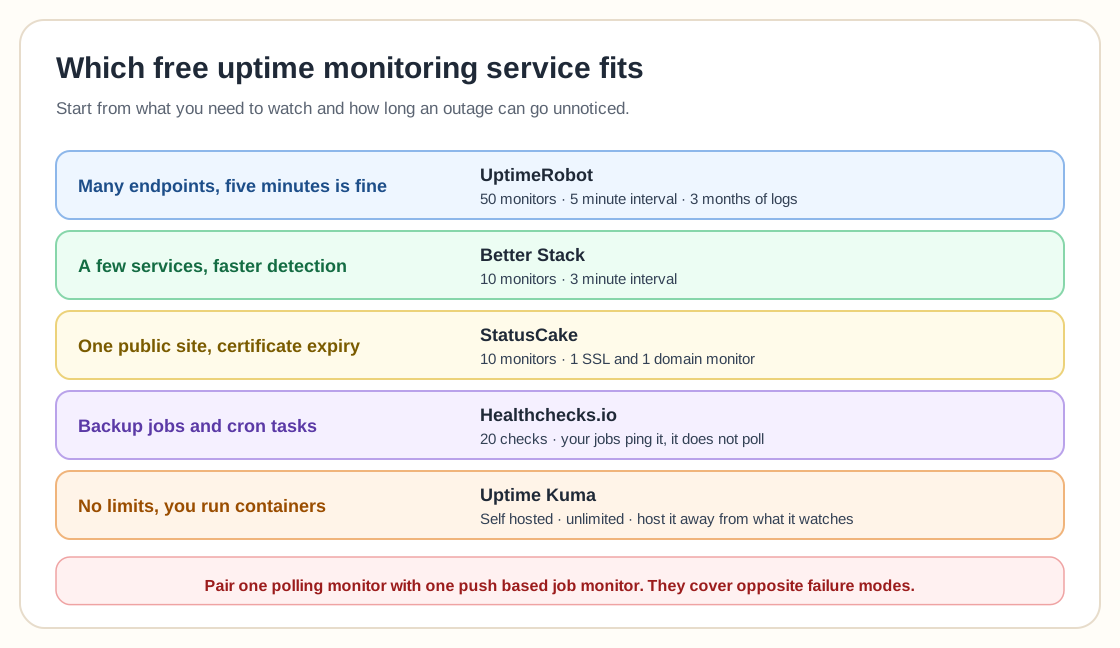
UptimeRobot gives the most free monitors (50) but checks only every 5 minutes, Better Stack checks every 3 minutes with 10 monitors, and Uptime Kuma is unlimited if you host it somewhere other than what it watches. Healthchecks.io covers a different failure: silent cron and backup jobs. Most people are best served by one uptime monitor plus one push-based job monitor.
Free tiers shrink without warning.
Subscribe for infrastructure notes and guides from Mr.PlanB, including updates when the numbers on pages like this one move.
Quick comparison: free uptime monitoring plans
Free plans change. Every figure here was checked against the provider’s own pricing page on August 8, 2026. Verify before you rely on it.
| Service | Monitors | Interval | Retention | The catch |
|---|---|---|---|---|
| UptimeRobot | 50 | 5 minutes | 3 months | Positioned for hobby and non-profit use; interval is fixed |
| Better Stack | 10 | 3 minutes | Limited | Far fewer monitors; the good incident features are paid |
| StatusCake | 10 | 5 minutes | Limited | Only one page-speed, domain and SSL monitor each |
| Healthchecks.io | 20 checks | Push-based (cron) | Varies by plan | Does not poll your site; jobs must call it |
| Uptime Kuma (self-hosted) | Unlimited | Your choice | Your disk | You have to host and maintain it, and monitor the monitor |
1. UptimeRobot
50 monitors · 5 minutes
Fifty monitors on a free plan is still unmatched, and it is why UptimeRobot tops almost every list including this one. You also get one status page and three months of log retention.
The five-minute interval matters more than the fifty-monitor count. The free check interval is five minutes and cannot be changed, so in the worst case an outage runs for 299 seconds before anything notices. For a homelab dashboard that is irrelevant. For anything where minutes cost money, it decides the question.
If this is for work, read the terms carefully. UptimeRobot's own pricing page describes the free plan as "good for hobby and non-profit projects". That is positioning rather than a quoted prohibition, but if you are monitoring something commercial it is worth checking the current terms yourself before you build a process around it.
Best for: Watching a lot of endpoints cheaply, when a five-minute gap is acceptable.
UptimeRobot pricing2. Better Stack
10 monitors · 3 minutes
Ten monitors at a three-minute interval: a fifth of UptimeRobot's count, but quicker to catch an outage. Better Stack is an observability platform with on-call scheduling, incident management and log storage attached, and the free tier is the entry point to it.
If you only want to know whether a handful of things are up, ten is plenty and three minutes beats five. If you want the escalation policies and log retention that make the product interesting, you will be on a paid plan quickly.
Best for: A small number of services where you want faster detection than five minutes.
Better Stack pricing3. StatusCake
10 monitors · 5 minutes
Ten uptime monitors at five-minute intervals, plus one page-speed monitor, one domain monitor and one SSL monitor. That last pair is the reason to consider it: expiry monitoring for domains and certificates is useful, and most free tiers leave it out entirely.
One SSL monitor is not much when you have a dozen certificates. But if you have one public site and want to be told before its certificate lapses, this covers a real failure mode for free.
Best for: A single public site where certificate and domain expiry matter as much as uptime.
StatusCake pricing4. Healthchecks.io
20 checks monitors · Push-based (cron)
This one does a different job, which is why it is on this list. Healthchecks.io does not ping your website. It waits for your scheduled jobs to ping it, and alerts you when one fails to check in on time. Twenty checks on the free plan.
That inverts the usual model and catches a failure the polling services miss: a backup job that silently stopped running. An uptime monitor will happily report your server as healthy for six months while its nightly backup has been failing the entire time. If you run Proxmox Backup Server, a ZFS snapshot script or any cron job you would be upset to lose, this is what tells you.
Pair it with a conventional uptime monitor instead of choosing between them, since the two cover opposite failure modes.
Best for: Backup jobs, cron tasks and anything whose failure is silent by nature.
Healthchecks.io pricing5. Uptime Kuma (self-hosted)
Unlimited monitors · Your choice
Open source, self-hosted, and free in the way that does not get rescinded in a docs edit. Unlimited monitors, whatever check interval you want, notifications to dozens of services, and status pages, limited only by the machine you run it on.
The catch is structural rather than commercial: something monitoring your infrastructure should not live on that same infrastructure. If Uptime Kuma runs on the server it watches, a power cut takes out both and you hear nothing. The standard answer is to run it somewhere else entirely. One of the free cloud instances on our free VPS comparison is the right size for it.
The other caveat is that a self-hosted monitor is another thing to patch and back up, so it still costs attention when it costs no money.
Best for: Homelabbers who already run containers and want no limits at all.
Uptime Kuma on GitHub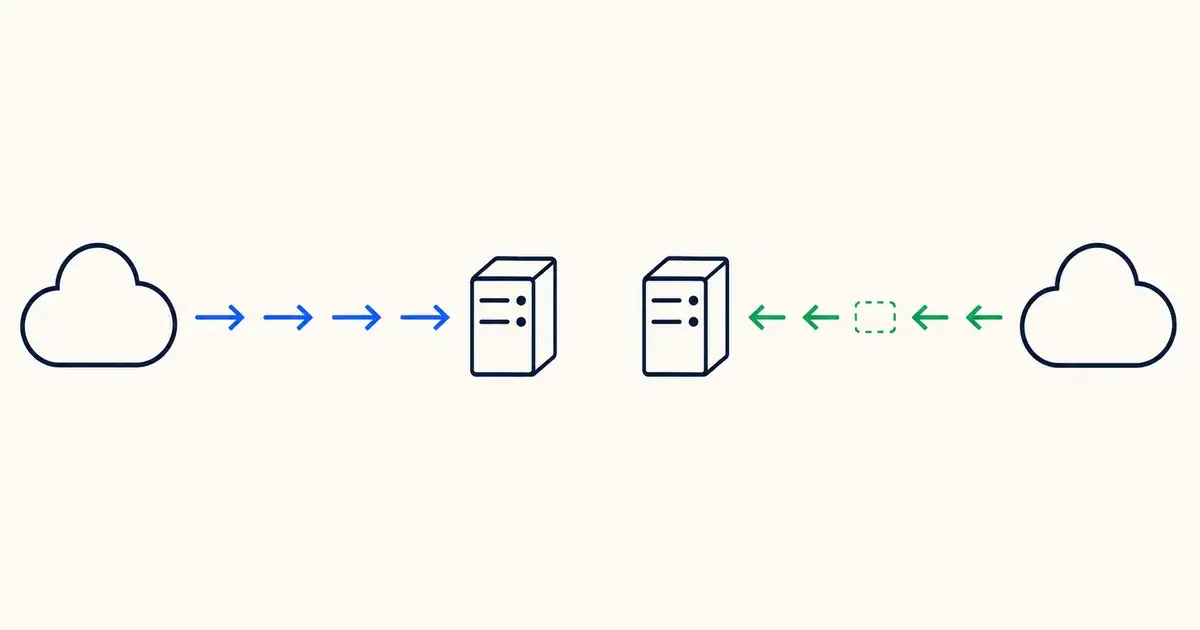
How to choose one
Start from the cost of a missed minute. That single number decides whether a free five-minute interval is generous or negligent. Everything else on this page is secondary to it.
Run the monitor somewhere the outage cannot reach. Monitoring hosted on the thing being monitored goes down with it. A hosted free tier is external by construction; if you self-host Uptime Kuma, put it on a free cloud instance rather than on the box in your cupboard.
Cover silent failures separately. Uptime checks prove a port answered. They will not tell you a backup stopped running. For that you need a push-based check, and it is worth reading our note on testing backups alongside it.
Outgrow it deliberately. When you need dependency maps, historical trending and real alerting logic, you have outgrown uptime checks and want a monitoring platform. See Zabbix and its alternatives.
Frequently asked questions
How fast does the check interval actually need to be?
It depends entirely on what the outage costs. A five-minute interval means the worst case is just under five minutes of downtime before anyone knows, which is fine for a blog, a homelab dashboard or an internal tool. For checkout flows or anything with an SLA, five minutes of silent failure is unacceptable and you want a one-minute interval, which every provider here charges for.
Free service or self-hosted Uptime Kuma?
Use a hosted free tier if you want zero maintenance and can live within the monitor count. Use Uptime Kuma if you want unlimited monitors, arbitrary intervals and no risk of the terms changing. Location matters more than features here: a hosted monitor is external by default, whereas Uptime Kuma is only useful if you run it somewhere other than the infrastructure it watches.
Do free plans alert by SMS or phone call?
Generally not included. Email and webhooks are standard on free tiers; SMS and voice are almost always billed separately or reserved for paid plans, even where the interface shows them. UptimeRobot, for example, offers SMS and voice but the credits must be purchased. If you need to be woken up, budget for it.
Can I monitor something behind NAT with no public IP?
Not with a conventional polling monitor, because it needs a reachable address. You have two options. Either expose the service through a tunnel (see our guide to exposing a home server for free), or invert the direction and use a push-based check like Healthchecks.io, where the machine reports in rather than being polled. For homelabs the push model is usually simpler and safer.
Is one uptime monitor enough?
For availability, one is usually fine. But uptime monitoring only proves a port answered. It says nothing about whether your backups ran, your certificates are current or your disks are filling. Most people are best served by one uptime monitor plus one push-based job monitor, which between them cover the two ways infrastructure fails.
Related guides
Last verified August 8, 2026.