

9 Best Free Cloud Storage Plans in 2026 (Real Limits, No Hype)
Free cloud storage sounds simple until you start comparing the details. This guide ranks the 9 best free plans by real storage limits, upload caps, and the catches other lists skip — not just headline storage numbers.
Free plans change without warning.
We re-check these nine free tiers every month. Subscribe for an alert when one changes, plus occasional storage guides.
Free plans change. See every cut, increase and shutdown.
A dated, sourced history of these free tiers — every storage cut, increase and shutdown, plus account-inactivity policies, rclone and WebDAV compatibility, and a free CSV/JSON download. Re-checked monthly, and every figure links its source.
Open the free plan tracker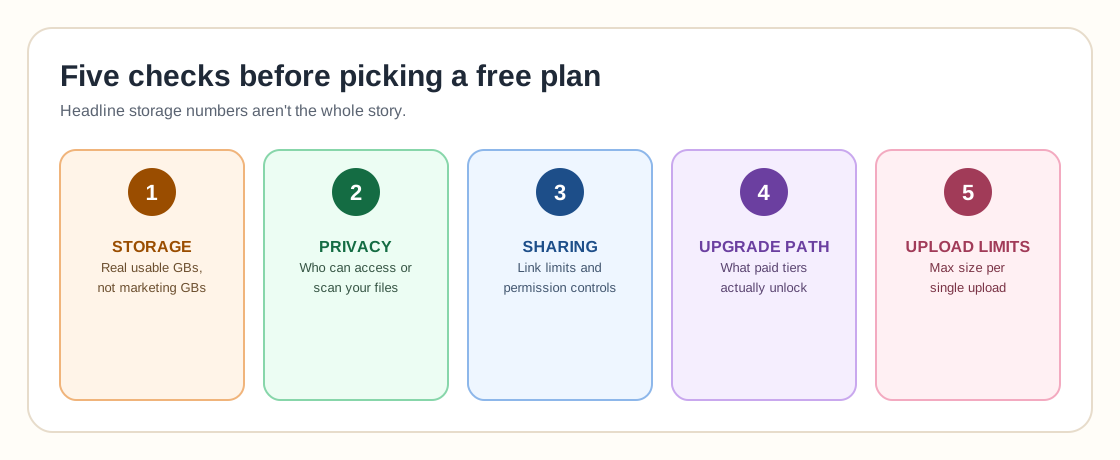
Quick Comparison: Best Free Cloud Storage Options
Free plan limits can change. Always verify current storage limits, file size limits, and account rules before choosing a provider.
| Cloud storage service | Free storage | Best for | Main limitation |
|---|---|---|---|
| Google Drive | 15 GB | General use, Gmail, Google Docs, Android users | Storage is shared across Drive, Gmail, and Photos |
| MEGA | Around 20 GB base free storage, with possible bonus storage | Large free storage and encrypted storage | Transfer limits and bonus storage rules can vary |
| pCloud | Up to 10 GB | Personal files, media, simple sharing | Some storage may require account actions to unlock |
| Box | 10 GB | Document sharing and business-style collaboration | 250 MB file upload limit on the free individual plan |
| Icedrive | 10 GB | Simple personal cloud storage | Some advanced encryption and sync features are paid |
| Microsoft OneDrive | 5 GB | Windows users and Microsoft Office workflows | Smaller free storage allowance |
| Proton Drive | Up to 5 GB | Privacy-focused cloud storage | Less free space than Google Drive or MEGA |
| Dropbox Basic | 2 GB | Fast sync, simple sharing, lightweight file exchange | Very small free storage allowance |
| Internxt | 1 GB | Privacy-focused trial use | Too small for serious free storage needs |
Data last verified: July 29, 2026
Full change history →Free plans change. We’ll tell you when.
We re-check all nine free tiers every month. Subscribe to get an alert when a free plan changes, plus occasional storage and homelab guides from Mr.PlanB.
The 78 GB nobody claims
The table above as a 90-second animation: how the free tiers stack up, and what to do with them once you have them.
- MEGA 20 GB + Google Drive 15 GB + pCloud, Box and Icedrive at 10 GB each = ~65 GB
- All nine free tiers together come to roughly 78 GB
- Give every cloud exactly one job — archive, working files, paper trail — and never mix
- Unused free accounts decay, so lock each one down as you create it
Official Free Plan Links
One provider gives you more free space but fewer collaboration features. Another works beautifully with office documents but gives you less storage. Some are better for photos. Some are better for privacy. Some are useful as a free file sharing tool, while others are better as a long-term place to keep documents, backups, and archives.
1. Google Drive: Best Free Cloud Storage for Everyday Use
Google Drive remains one of the easiest free cloud storage choices because it is connected to Gmail, Google Docs, Google Sheets, Google Photos, Android, and the broader Google ecosystem.
Every Google Account includes up to 15 GB of storage shared across Gmail, Google Drive, and Google Photos. That makes Google Drive one of the strongest free options for general users who want a simple place for documents, spreadsheets, PDFs, screenshots, and personal files.
The tradeoff is that your 15 GB is not only for Drive files. Email attachments and Google Photos can consume the same storage pool. If you use Gmail heavily or back up many phone photos, the free space can disappear quickly.
Best for
People who want the most convenient free cloud storage option for everyday files, documents, and collaboration.
Not ideal for
Users who want private encrypted storage or separate storage that is not tied to email and photos.
2. MEGA: Best Free Cloud Storage for Larger Free Space
MEGA is often mentioned when people ask which cloud storage gives the most free space. It is known for generous free storage and privacy-focused positioning.
MEGA can be a strong choice if your first priority is getting more free storage than Dropbox, OneDrive, or many mainstream services. It is useful for large personal folders, media files, and encrypted file sharing.
The main thing to understand is that MEGA's free storage, transfer rules, and bonus storage structure can be more complex than simple providers. Some allowances may depend on account age, achievements, or promotional rules.
Best for
Users who want a larger free storage allowance and are comfortable checking the current free plan details carefully.
Not ideal for
People who want the simplest possible cloud storage experience with predictable limits.
3. pCloud: Best Free Cloud Storage for Personal Media and Files
pCloud offers up to 10 GB of free secure cloud storage and works well for personal files, photos, videos, and media access across devices. It is a practical option for users who want a clean storage product without being locked into Google or Microsoft.
pCloud is especially appealing for users who want file storage and sharing without turning the storage service into a full office suite. It feels more like a dedicated cloud drive than a productivity platform.
The free tier is useful, but users should understand which parts of the 10 GB are available immediately and whether additional actions are required to unlock the full amount.
Best for
Personal file storage, photos, media, and users who want an alternative to Google Drive or OneDrive.
Not ideal for
Teams that need deep document collaboration, compliance controls, or advanced admin features.
4. Box: Best Free Cloud Storage for Document Sharing
Box offers a free individual plan with 10 GB of storage. It is more business-oriented than many consumer cloud storage tools, with a strong focus on secure file sharing, document workflows, and collaboration.
The free plan can be useful for documents, PDFs, contracts, and work-style file exchange. It is not the best free option for large media files because the free individual plan has a 250 MB file upload limit.
That makes Box a good free cloud storage service for documents, but a weaker choice for video archives, large design files, or full device backups.
Best for
Document sharing, PDF storage, and users who like business-style cloud storage tools.
Not ideal for
Large files, media folders, and users who need big upload limits on the free plan.
5. Icedrive: Best Simple 10 GB Free Cloud Storage Option
Icedrive offers 10 GB of free cloud storage and has a simple, modern interface. It is a good option for users who want a straightforward cloud drive without the complexity of a large productivity ecosystem.
The free plan can be useful for documents, media files, and light backup use. Icedrive also promotes privacy and security, although some advanced features may require a paid plan.
Best for
Users who want a simple 10 GB free cloud storage option with a clean interface.
Not ideal for
Teams or users who need mature collaboration, office documents, or enterprise admin features.
6. Microsoft OneDrive: Best Free Cloud Storage for Windows Users
OneDrive is the natural free cloud storage option for Windows users. A free Microsoft account includes 5 GB of OneDrive cloud storage, and OneDrive integrates closely with Windows, Microsoft 365, Word, Excel, PowerPoint, and Outlook.
The biggest advantage is convenience. If you use Windows every day, OneDrive is already built into the operating system experience. It is easy to sync desktop folders, save Office files, and access files from mobile devices.
The downside is the smaller free storage allowance. 5 GB is enough for documents and lightweight files, but it is not enough for serious photo backup, video storage, or large archives.
Best for
Windows users, Microsoft Office users, and people who want basic file sync.
Not ideal for
Users who want the largest free cloud storage plan.
7. Proton Drive: Best Free Cloud Storage for Privacy
Proton Drive is a privacy-focused cloud storage service from the team behind Proton Mail. Free users can get up to 5 GB of Proton Drive storage after completing Proton's setup steps.
The main reason to choose Proton Drive is not maximum storage. It is privacy. Proton Drive is designed around end-to-end encryption and zero-access encryption, which makes it a better fit for sensitive personal files than many mainstream cloud storage services.
The tradeoff is that the free storage allowance is smaller than Google Drive, MEGA, pCloud, Box, or Icedrive.
Best for
Privacy-focused users who want encrypted cloud storage for important files.
Not ideal for
Users who need large amounts of free storage.
8. Dropbox Basic: Best Free Cloud Storage for Simple Sync
Dropbox Basic includes 2 GB of free storage. That is small compared with most other free cloud storage options, but Dropbox remains one of the simplest and most familiar file sync tools.
Dropbox is useful when you need quick file sharing, simple folder sync, and a tool many people already know how to use. For lightweight workflows, 2 GB may be enough.
For photo backup, media storage, or large personal archives, Dropbox Basic is too limited.
Best for
Simple sync, quick file sharing, and small folders.
Not ideal for
Anyone looking for the biggest free cloud storage plan.
9. Internxt: Best for Testing Private Cloud Storage
Internxt offers 1 GB of encrypted cloud storage for free. That makes it less competitive if your main goal is maximum free space, but it can still be useful if you want to test a privacy-focused storage service before upgrading.
The free plan is better treated as a trial or lightweight secure storage account rather than a full free cloud drive.
Best for
Testing private encrypted storage.
Not ideal for
Users who need meaningful free capacity.
Which Free Cloud Storage Gives the Most Space?
If your main question is "which cloud storage offers the most free space," the short answer is usually MEGA, Google Drive, pCloud, Box, and Icedrive.
- MEGA if you want the largest free storage allowance and are willing to review current transfer and bonus rules.
- Google Drive if you want the best all-around free cloud storage experience.
- pCloud, Box, or Icedrive if you want 10 GB free storage outside the Google ecosystem.
- OneDrive if you use Windows and Microsoft Office.
- Proton Drive if privacy matters more than free capacity.
- Dropbox if you only need simple sync for small files.
Best Free Cloud Storage by Use Case
Best for Android users
Google Drive is usually the best free cloud storage for Android because it is already tied into Google accounts, Google Photos, Gmail, and mobile file access.
Best for Windows users
OneDrive is the most convenient free cloud storage option for Windows users because it is built into the Microsoft ecosystem.
Best for privacy
Proton Drive is the strongest choice if privacy and encryption are your main concerns. Internxt is also worth considering, but the free storage allowance is much smaller.
Best for documents
Google Drive and Box are strong choices for documents. Google Drive is better for collaborative editing. Box is better if you prefer business-style file sharing.
Best for large free storage
MEGA, Google Drive, pCloud, Box, and Icedrive are the strongest options to compare first.
Best for simple file sync
Dropbox is still simple and familiar, but the free storage limit is much smaller than most competitors.
Free Cloud Storage vs Open Source Storage
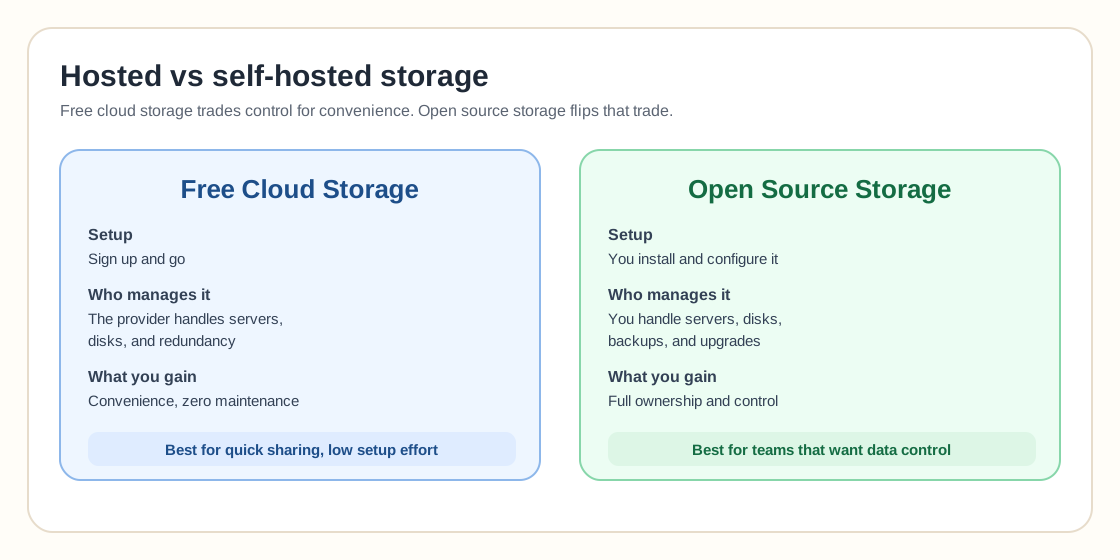
Free cloud storage services are convenient, but they are not the same as open source storage. A free cloud storage account gives you hosted storage managed by a provider. You do not manage the infrastructure, redundancy, disks, or software stack.
Open source storage gives you more control, but also more responsibility. Tools like Nextcloud, MinIO, Ceph, SeaweedFS, and other self-hosted storage systems can be powerful, but they require servers, disks, backups, maintenance, upgrades, and security management. If the missing piece is the server itself, several providers still hand those out for nothing — see our free VPS and cloud server tiers comparison.
Use free cloud storage when you want convenience.
Use open source or self-hosted storage when you want control.
How to Choose the Best Free Cloud Storage Service
- Storage amount: If you only need documents, 2 GB to 5 GB may be enough. If you need photos and videos, start with 10 GB or more.
- Convenience or privacy: Google Drive and OneDrive are convenient. Proton Drive and Internxt focus more on privacy.
- Sharing or backup: Sharing, sync, and backup are related, but they are not identical. A cloud drive is not always a full backup system.
- Upgrade path: A free plan is only useful if the paid upgrade path also makes sense.
- Upload limits: Box gives 10 GB free, but its free individual plan has a 250 MB file upload limit, which matters if you store large files.
Related Storage Guides
Free plan change tracker
A dated, sourced history of every free-tier cut, increase and shutdown, with a downloadable dataset.
Ceph distributed storage
A self-hosted alternative when you want scalable block, file, and object storage.
ZFS storage guide
Snapshots, replication, and local data integrity for homelab storage.
Proxmox Backup Server
Deduplicated backup storage for Proxmox environments.
LTO tape storage
Offline archival storage when cloud accounts are not enough.
FAQ
What is the best free cloud storage service?
Google Drive is the best all-around free cloud storage service for most users because it includes 15 GB of storage and works well with Gmail, Google Docs, Android, and browser-based collaboration. If you want more free storage, compare MEGA, pCloud, Box, and Icedrive.
Which cloud storage offers the most free space?
MEGA is often one of the strongest options for large free cloud storage, while Google Drive offers 15 GB and pCloud, Box, and Icedrive offer around 10 GB. Always check the current free plan because cloud storage limits can change.
Is there any free cloud storage?
Yes. Google Drive, OneDrive, Dropbox, Box, pCloud, Icedrive, Proton Drive, MEGA, and Internxt all offer free cloud storage plans. The difference is how much storage you get and what limitations apply.
Is free unlimited cloud storage real?
Usually, no. Claims about free unlimited cloud storage are often misleading, promotional, temporary, or tied to restrictions. Most reliable providers set clear free storage limits.
What is the best free cloud storage for Android?
Google Drive is usually the best free cloud storage option for Android users because it is built into the Google account ecosystem and works well with Google Photos, Gmail, and mobile file access.
What is the best free cloud storage for privacy?
Proton Drive is one of the best free cloud storage options for privacy because it focuses on end-to-end encryption and zero-access encryption. Internxt is another privacy-focused option, though its free storage allowance is smaller.
Is free cloud storage safe?
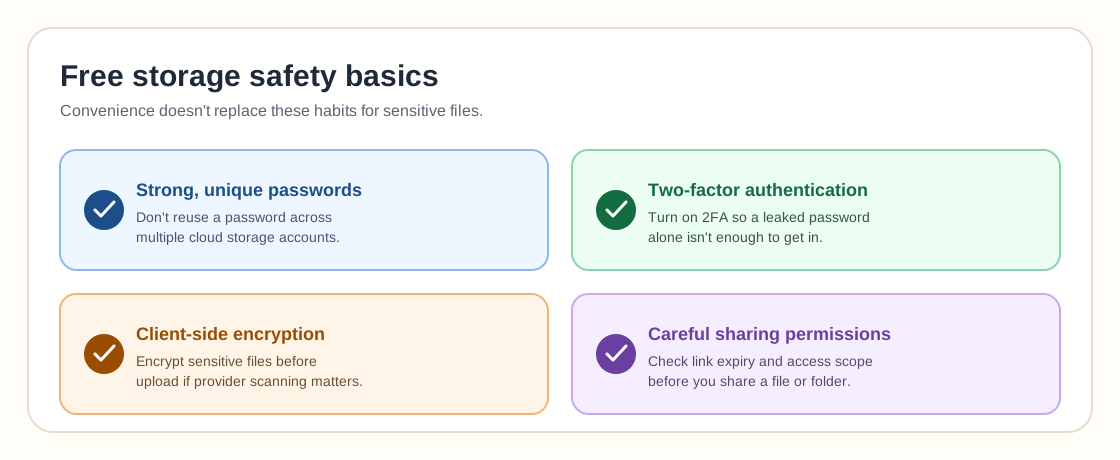
Free cloud storage can be safe for normal files, but you should still use strong passwords, enable two-factor authentication, and avoid storing highly sensitive files without encryption. For private documents, consider an encrypted provider or encrypt files before uploading.
Is free cloud storage good for backup?
Free cloud storage can help with basic backup, but it should not be your only backup. A good backup strategy should include multiple copies, versioning, and at least one copy outside your main device or account.
Stack & Secure: get 60+ GB, and keep it
Build 60+ GB across five free accounts in one evening, then lock every account, encrypt the sensitive 5% and beat the inactivity clock that quietly deletes idle free accounts.
Get the guide