

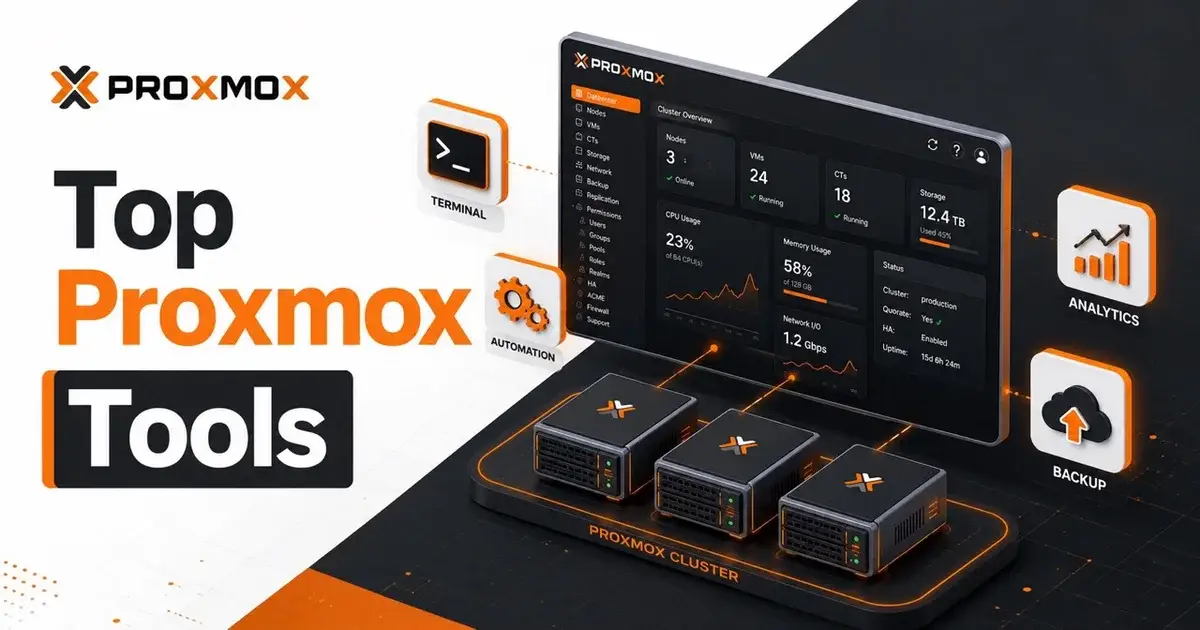
10 Proxmox VE 9 Tools Worth Trying in 2026
The most useful Proxmox tools in 2026 are the ones that remove repetitive work without hiding what they are changing. My short list starts with Terraform or OpenTofu, Ansible, GitOps tooling, reporting utilities and terminal clients. If a tool asks for broad cluster credentials but gives you little visibility into its actions, I would leave it out.
This list is based on the projects and documentation available on August 15, 2026. I did not invent benchmark numbers or assume every project has enterprise support. Several are community projects, so treat them as code you need to review before putting them near production.
Which Proxmox tools are actually worth adding?
A good Proxmox tool should solve a specific operational problem. It should make provisioning repeatable, expose inventory, reduce configuration drift, simplify diagnostics or give you a faster interface for routine work.
Proxmox VE 9.2 already includes a strong web interface, API, HA stack, storage management and newer cluster features such as the Dynamic Load Balancer. Looking modern is not a reason to install a second control plane. Start with the platform itself, then add tools where manual work is becoming a real cost.
If you are building a new environment, get the base platform right first with the Proxmox installation guide. Add automation after networking, storage, authentication and backups are predictable.
1. Should you use Terraform or OpenTofu with Proxmox?
Terraform or OpenTofu is the strongest choice when you want VM and container provisioning described as code. The BPG Proxmox provider exposes Proxmox VE resources so infrastructure definitions can live beside the rest of your configuration.
As of July 2026, the Terraform Registry listed the BPG provider at version 0.111.1. Its documentation includes resources for virtual machines, LXC containers and firewall rules, plus Cloud Init examples.
Terraform gives you repeatability. A development environment with six near identical VMs is much easier to recreate from versioned configuration than from screenshots of wizard pages.
The tradeoff is state. Terraform describes infrastructure well, but it becomes uncomfortable when administrators routinely change the same objects by hand. If your team likes clicking in the GUI after every deployment, decide which system owns which settings before you automate anything.
2. When is Ansible better than Terraform for Proxmox?
Ansible is better when the job is configuration and orchestration instead of long lived infrastructure state. The community.proxmox collection includes modules for managing instances, KVM virtual machines, clusters, pools, ACLs and SDN objects.
That makes Ansible useful for tasks such as preparing nodes, applying a standard configuration, creating a cluster, configuring permissions and then configuring the guest operating systems after deployment.
I would often pair the two, with Terraform creating the VM and Ansible configuring what runs inside it. Trying to force one tool to own every layer usually creates more complexity than it removes.
3. What does Proxmox-GitOps add?
Proxmox-GitOps is interesting if you want a Git driven workflow specifically around Proxmox LXC infrastructure. The project describes itself as an Infrastructure as Code automation framework for Linux Containers and lists support for Proxmox VE 8.4 through 9.2.
Its model is more opinionated than running a few Ansible playbooks. The repository becomes the source of truth, and a pipeline provisions and configures container infrastructure from that desired state.
That suits people who already understand GitOps, and it is a poor first automation project for someone who is still learning bridges, storage IDs and LXC permissions.
The project itself documents tradeoffs around complexity, Git as a state engine and authentication. Read those sections before copying the deployment model.
4. Is pvetui a better way to manage Proxmox from a terminal?
pvetui is worth trying if you spend most of your day in a shell. It provides a terminal interface for Proxmox VE and can also operate as a noninteractive CLI, which makes it usable in shell scripts and scheduled jobs.
A terminal client will not replace the full Proxmox web interface, but it is faster for some work. Checking resources, performing routine guest operations and scripting common actions can be quicker without opening another browser tab.
I would use a restricted API identity for this kind of tool. Convenience does not justify handing a workstation unrestricted cluster credentials.
5. What is proxmux good for?
proxmux is another terminal interface, focused on nodes, VMs, containers and storage. Its documented features include a cluster dashboard, VM and LXC start, stop and reboot actions, console access and storage views.
It is a good example of why community tools deserve evaluation before installation. The project is useful and approachable, but its issue tracker has also documented real operational concerns, including credential file permissions and slow VM list loading in larger clusters. None of that makes it unusable, but it does tell you what to test.
6. Is there an RVTools style report for Proxmox?
cv4pve-report is one of the more practical tools on this list because inventory is a universal problem. It exports Proxmox VE infrastructure into Excel, HTML or JSON and positions itself as an RVTools style reporting tool for Proxmox.
That can be useful during a VMware migration, an audit, a capacity review or simply when someone asks, "How many VMs do we actually have and where are they?"
Reporting tools are also lower risk than tools that mutate cluster state. If you are nervous about third party automation, inventory is a sensible place to start.
7. What can cv4pve-diag find?
cv4pve-diag focuses on health checks and diagnostics across a Proxmox cluster. The project documents more than 170 built in checks covering cluster, node, storage, VM and LXC conditions.
I would still question an automated diagnostic score. It works as a second set of eyes before maintenance, after an upgrade or when onboarding a cluster you did not design.
Diagnostic automation is best at finding things you forgot to look for. You still have to understand why a given warning matters in your architecture.
8. When does cv4pve-cli make sense?
cv4pve-cli is useful when you manage multiple Proxmox environments and want a remote first command line workflow. The project compares its operating model to kubectl, with contexts, API access and shell completion.
That is more attractive as the number of clusters grows. Logging into five different web interfaces to perform the same check gets old quickly.
Proxmox itself remains the source of truth. A CLI is only a client and adds no new management layer, which is exactly why I prefer this category of tool over heavyweight overlays for many environments.
9. Should you automate Proxmox updates?
The Ultimate Updater for Proxmox VE can update hosts, cluster nodes, LXCs and prepared VMs. It also documents snapshot or backup options before updates, headless execution and logging.
That sounds convenient because it is convenient, and it is also the category where I would be most conservative.
Automated patching can multiply a good process or multiply a bad one. Start by defining maintenance order, reboot policy, backup verification and what happens when one node fails halfway through, and only then automate it.
Your Proxmox backup strategy matters more than shaving ten minutes from an update window.
10. Do you still need Proxmox Helper Scripts?
Proxmox Helper Scripts remain useful for application deployment, especially in homelabs and test environments. They are good at removing repetitive installation work for common services.
Treating a one line installer as a security boundary is a mistake. Read the script, understand where it came from and know how you will update or remove the workload later.
Mr.PlanB maintains a Proxmox Helper Scripts guide with deployment context and safety notes. The right mindset is to use the script as a shortcut while still owning the workload it creates.
Which four tools would I start with?
I would start with Terraform or OpenTofu for repeatable provisioning, Ansible for configuration, cv4pve-report for inventory and one terminal client such as pvetui. That combination covers creation, configuration, visibility and daily operations without forcing a second heavyweight platform onto Proxmox.
I would add GitOps only when the team already works comfortably with Git based desired state. I would add automated updating only after backup and maintenance procedures have already been proven manually.
The opposite choice is reasonable for a small homelab. If you have one node and six services, the Proxmox GUI plus a few carefully reviewed helper scripts may be simpler than maintaining an automation stack. An automation stack is more infrastructure to maintain, even when it arrives through Git.
Frequently Asked Questions
What are the best Proxmox tools to try in 2026?
Start with Terraform or OpenTofu, Ansible, cv4pve-report and a terminal tool such as pvetui. On Proxmox VE 9.2, add automation only once you have working backups and restricted API credentials.
Can Terraform manage Proxmox VE 9?
Yes. The BPG Proxmox provider supports Proxmox Virtual Environment resources including VMs, LXC containers and firewall rules. In July 2026 the provider was at version 0.111.1.
Is there an RVTools equivalent for Proxmox?
cv4pve-report is built as an RVTools-style reporting tool for Proxmox VE. It can export infrastructure data to Excel, HTML or JSON.