

Wait, Where's the UPS Support in Proxmox 9?
If you've recently upgraded to Proxmox 9 and noticed something… missing, you're not alone. One of the smaller ripples in the Proxmox community has been confusion around Proxmox UPS (Uninterruptible Power Supply) support, or more precisely, its visible absence from the WebGUI. Whether you're new to Proxmox or a veteran sysadmin, it's understandable to expect that managing a UPS would be as smooth as managing VMs or backups. So when folks log into the shiny new Proxmox 9.0.10 interface and can't find any mention of UPS configuration, the question practically asks itself: wait, where's the UPS support?
"Was it ever there?"
That's the first thing people asked, and debated. Some swear they remember seeing something in version 8. Others, more seasoned with the platform, are emphatic that it has never been a feature of the Proxmox GUI.
They're right. Proxmox, for all its strengths, has never bundled a native graphical UPS management interface. What some users likely remembered was a custom setup or a third-party integration they once configured on an earlier version. Out of the box, there's no WebGUI panel for UPS devices, not in version 8 and still not in version 9.
That's why the most common response to the confusion has been: "You need to install NUT."
The NUT you need to know
NUT, short for Network UPS Tools, is the go-to utility in the Linux world for managing UPS devices. It's reliable, configurable, and compatible with a huge variety of power backup hardware. It's also not beginner-friendly. Setting it up usually means jumping into the terminal, editing config files, and keeping an eye on permissions, services, and daemon behavior.
For many users, especially those migrating from platforms like TrueNAS or Unraid, where UPS support comes baked into the GUI, this feels like a step backward. TrueNAS, for instance, makes it almost brain-dead simple to connect a UPS, set triggers, and ensure graceful shutdowns, and users are noticing the difference.
One user commented, "They really do need to get a NUT integration in the build. I mean, who runs a server that doesn't have any UPS?" They have a point. As self-hosting becomes more mainstream, the expectation is shifting from "it works if you know how" to "it just works."
Why UPS matters outside data centers
Some of the responses to the missing UPS support suggested that in "real" data center environments you don't need this kind of integration, since most servers are dual-PSU and backed by massive UPS arrays and generators.
That's true, but it leaves a lot out. While Proxmox is enterprise-grade, a huge portion of its user base consists of homelabbers, small businesses, and edge deployments. For those folks, graceful shutdowns in the event of power loss are critical. One failed UPS battery or missed shutdown signal can mean corrupted disks, crashed VMs, or worse.
One especially vivid comment laid it out: "I use it as a NUT client to listen to the [PANIC SHUTDOWN] command sent from my OPNsense box to shut down everything sanely if the standby genset fails two consecutive start commands." These setups get serious.
Another added, "No business is risking sudden shutdown corruption when a simple NUT install to their UPS fixes it."
So… why isn't it in the GUI yet?
It's a bit of a mystery. The Proxmox team has done a stellar job integrating complex systems like Ceph, clustering, and backups into an accessible interface, so why not UPS? The likely answer is also the least satisfying one: priorities. While UPS support is essential for many, it may still be seen as edge-case functionality when stacked against clustering, live migration, and storage backends.
It's still worth asking how hard it would be to offer a basic GUI layer for configuring NUT, even if it's just a front-end to edit the config files or monitor UPS status. The community clearly wants it. One user nailed the sentiment: "I now want this magical UPS interface in PVE."
How everyone is handling it for now
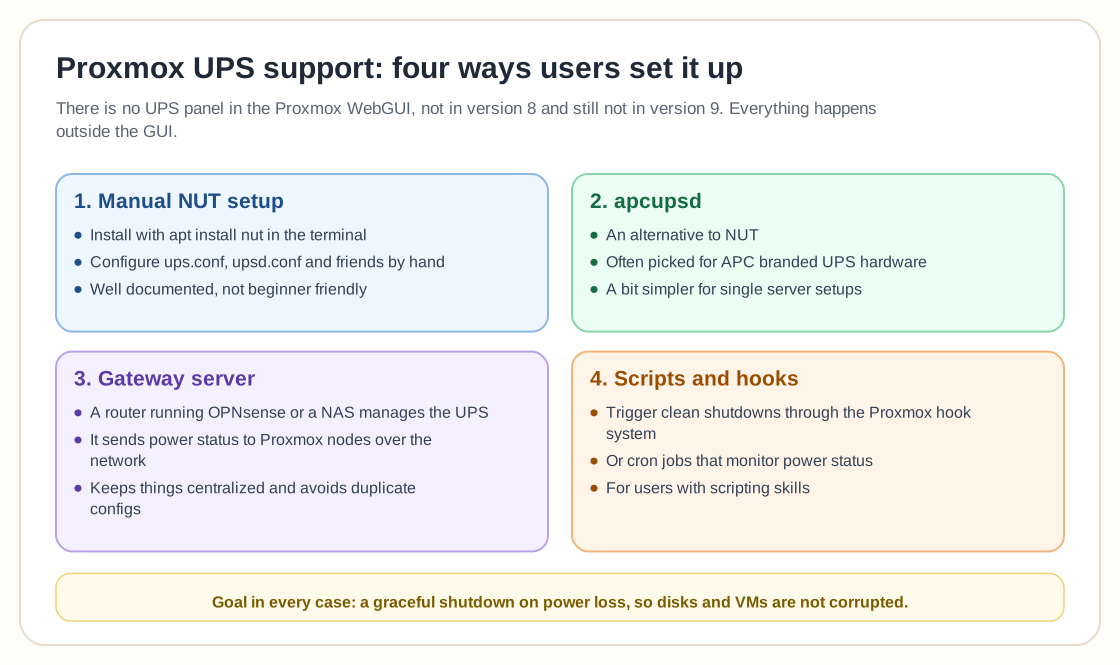
Until Proxmox adds official GUI support, users are working around it in a few ways:
- Manual NUT setup: installing NUT via the terminal (
apt install nut), then configuring it by hand withups.conf,upsd.conf, and friends. It's not for the faint of heart, but it's well-documented if you don't mind digging. - The apcupsd alternative: some users opt for
apcupsdinstead of NUT, especially if they have APC-branded UPS hardware. It's a bit simpler for single-server setups. - A gateway server: some have their UPS managed by a separate device (like a router running OPNsense or a NAS) that communicates status to Proxmox nodes over the network. This "master-client" setup keeps things centralized and avoids duplicate configs.
- Scripts and hooks: those with scripting chops can trigger clean shutdowns via Proxmox's hook system or even with cron jobs that monitor power status.
What's next?
Maybe nothing. If the chorus grows louder, though, Proxmox might take the hint. Nobody is asking for hand-holding, just for essential functionality to show up in an increasingly GUI-driven world. As more home users turn to Proxmox as their hypervisor of choice, things like UPS support need to feel less like a workaround and more like a built-in.
Until then, you're still going to have to nut up. Literally.