

Proxmox VE Helper Scripts core engine: the old misc/ files are gone, and what that means for you
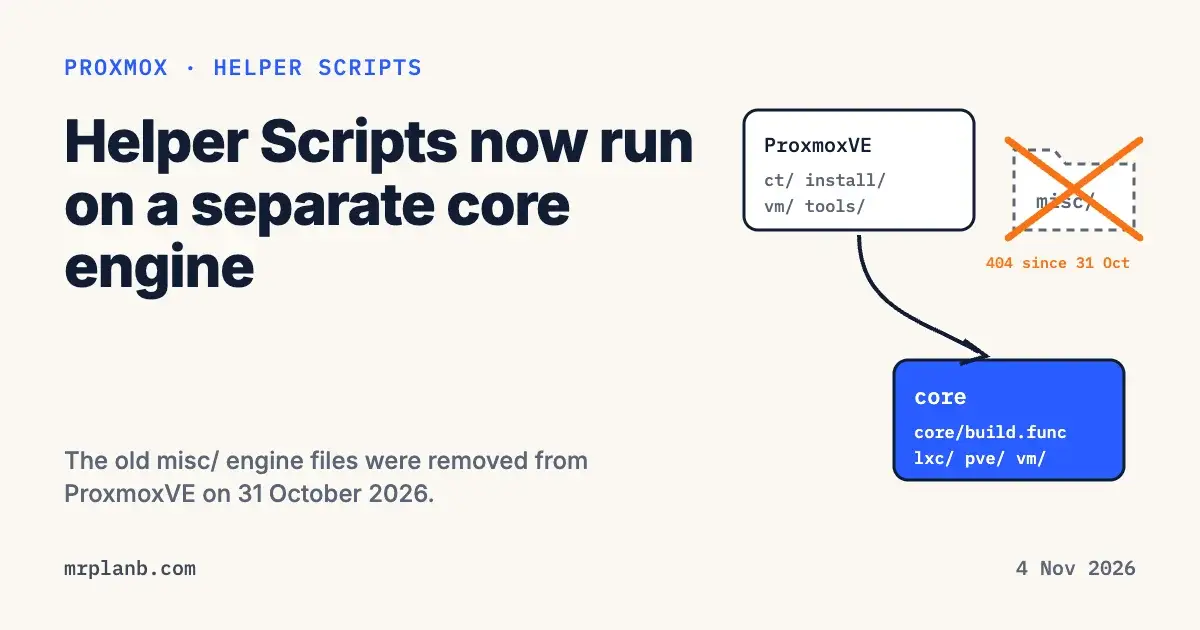
The Proxmox VE Helper Scripts project deleted its old engine files from the misc/ folder on 31 October 2026. The shared code that creates containers and runs the install wizard now lives only in the Proxmox VE Helper Scripts core engine, a separate repository called community-scripts/core. The one-line commands from community-scripts.org still work. Your own scripts or forks that download misc/build.func from the main branch now get a 404.
Google Trends showed searches for "proxmox ve helper scripts" up 894% in the seven days to 4 November 2026 compared with the 83 days before. This post covers what was removed, how a script loads its code now, how to read a script before you run it, and what else changed this week.
What was removed on 31 October 2026
Maintainer MickLesk merged pull request 18294, "Drop the legacy engine copies from misc/", on 31 October 2026. Its file list deletes ten files from misc/, among them build.func, install.func, core.func, tools.func, api.func and error_handler.func. The logos that were in misc/images/ moved to .github/assets/. The 31 October release notes list the change under the GitHub section.
The pull request explains why: nothing in the repository had loaded misc/*.func since the ct/, install/, vm/ and tools/ scripts moved to the core engine. When I checked on 4 November 2026, https://raw.githubusercontent.com/community-scripts/ProxmoxVE/main/misc/build.func returned HTTP 404.
Some projects outside the repository still used those files. On 1 November 2026 GitHub user gadget78 opened a discussion after people told him that his projects built on the old engine had stopped working. He later found the code in the core repository and left the thread up to help others in the same spot. MickLesk replied the same day that all scripts had been running on the new core for a few weeks, that the misc/ files were a leftover he had not removed yet, and that keeping the engine in several repositories (ProxmoxVE, the development repo and Incus) had become too confusing to maintain.
How a helper script loads its code now
The core repository was created on 5 August 2026. Its README describes it as the engine behind every script: the whiptail wizard, container and VM creation, the installer that runs inside the container, error handling, telemetry and helper functions. The ProxmoxVE repository keeps the application scripts in ct/, install/, vm/ and tools/pve/. A commit on 25 August 2026 moved the remaining top 25 scripts to the new engine.
Open any current ct/ script, for example ct/debian.sh, and the first lines do this:
_cs_boot="${COMMUNITY_SCRIPTS_CORE_DIR:-$(dirname "${BASH_SOURCE[0]}")/../../core}/core/build.func"
source "$_cs_boot" 2>/dev/null || source <(curl -fsSL "${COMMUNITY_SCRIPTS_CORE_URL:-https://raw.githubusercontent.com/community-scripts/core/main}/core/build.func")
It looks for a local copy of the engine first. If there is none, it downloads core/build.func from the main branch of community-scripts/core. The core loading docs say the engine then pulls all of its files in one parallel curl run into /dev/shm, and the container fetches its own smaller set of engine files.
In practice the command you paste now runs code from two repositories, ProxmoxVE and core, both on their main branch. A change to core reaches every script at once. The core README says engine changes get more review than application scripts for that reason.
Fix a script or fork that used misc/
If you wrote your own helper scripts on top of the old engine, or you run a fork, you have two options:
- Point your scripts at the new engine. Copy the two boot lines from a current
ct/script and test your script against core, since the engine has changed a lot since themisc/copies were last used. - Pin to the old code while you migrate. Git history keeps the deleted files. The commit before the removal is
0e65b9469e19032ad6d83c0d696d50f2e296b63b, andmisc/build.funcat that commit still returned HTTP 200 when I checked on 4 November 2026. That copy will not get fixes, so treat it as a stopgap.
Read a helper script before you run it
The ProxmoxVE README says the commands run as root on your host and asks you to read a script before you paste it. With the engine split out, reading means three files: the ct/<app>.sh script, the matching install/<app>-install.sh that runs inside the container, and the core engine.
Take a snapshot or backup of anything the script will touch. Then clone both repositories, read the files and run the copy you read:
mkdir ~/cs && cd ~/cs
git clone https://github.com/community-scripts/ProxmoxVE.git
git clone https://github.com/community-scripts/core.git
less ProxmoxVE/ct/debian.sh ProxmoxVE/install/debian-install.sh
bash ProxmoxVE/ct/debian.sh
With the two folders side by side, the boot line finds ../../core/core/build.func on disk, so the engine you read is the engine that runs. The loading docs list a local checkout as the first source and say the scripts root comes from the calling script. Use git log in each folder to see what changed since your last pull.
The README also documents two variables for testing a fork or branch. COMMUNITY_SCRIPTS_URL points at your copy of the scripts, and COMMUNITY_SCRIPTS_CORE_URL points at your copy of the engine. COMMUNITY_SCRIPTS_CORE_DIR points at a local engine checkout and wins over both.
For the wider debate about running these commands at all, see the hidden risks of helper scripts.
Other changes from 31 October to 3 November 2026
The project kept shipping daily releases after the cleanup:
- New scripts on 1 November 2026: Amazon Linux, a CachyOS VM and Razzia, per the 1 November release notes.
- The 3 November release moved Wiki.js to 3.x and changed the Immich script to fetch VectorChord from its new repository. On the engine side, core now checks the network bridge before creating a container, checks KVM and host threads before building a VM, and offers to remove only the container that the current run created.
- Pull request 18416, merged on 3 November 2026, makes the PBS 4 upgrade script stop when it finds it is running on a Proxmox VE host.
- Pull request 18403, merged the same day, fixes the post-pve-install script on Proxmox VE 9 hosts without deb822
.sourcesfiles. Answering No to disabling the legacy.listsources used to end the whole run.
Updating containers you already have
The README says every container made by a script has an update command: open the container console and type update. In the core engine's installer, the fallback version of that command downloads the app's current ct/ script from the ProxmoxVE main branch, and that script loads the engine from core, so it does not need the deleted misc/ files. VM scripts have no updater, so update those guests with their own package manager. Our October 2026 helper scripts roundup has a step by step routine, snapshot first.
Frequently Asked Questions
Why did my script that uses misc/build.func stop working?
On 31 October 2026 the community-scripts project merged pull request 18294, which deleted the old engine files in misc/ from the ProxmoxVE repository. Any script that downloads misc/build.func or another misc/*.func file from the main branch now gets a 404 error from GitHub.
Where did the Proxmox helper scripts engine go?
It lives in its own repository, github.com/community-scripts/core, created on 5 August 2026. Every ct/ script in ProxmoxVE loads core/build.func from that repository on its first line. The application scripts themselves stay in the ProxmoxVE repository.
Do I need to change the install command I copy from community-scripts.org?
No. The one-line commands still download a ct/ script from the ProxmoxVE repository, and that script pulls in the engine by itself. A project maintainer wrote on 1 November 2026 that all scripts had already been running on the new core for a few weeks.
Are the tteck scripts deleted?
The old copies are no longer on the main branch, but git history keeps them, so a commit from before 31 October 2026 still serves them. The maintainer said the former tteck code has been developed further in the core repository rather than thrown away.
How do I check what a Proxmox helper script does before running it?
Read three things: the ct/ script for the app, its install/ script, and the engine in community-scripts/core that both of them load. You can clone both repositories side by side and run the script from your own copy, so the engine on disk is the one you read.
How do I update a container made with a helper script?
Open the container console and type update. The ProxmoxVE README says every container gets this command, and that VM scripts have no updater, so VMs are updated with the guest's own package manager.