

Proxmox VMFS alternative: what replaces VMFS after the Tesco VMware exit
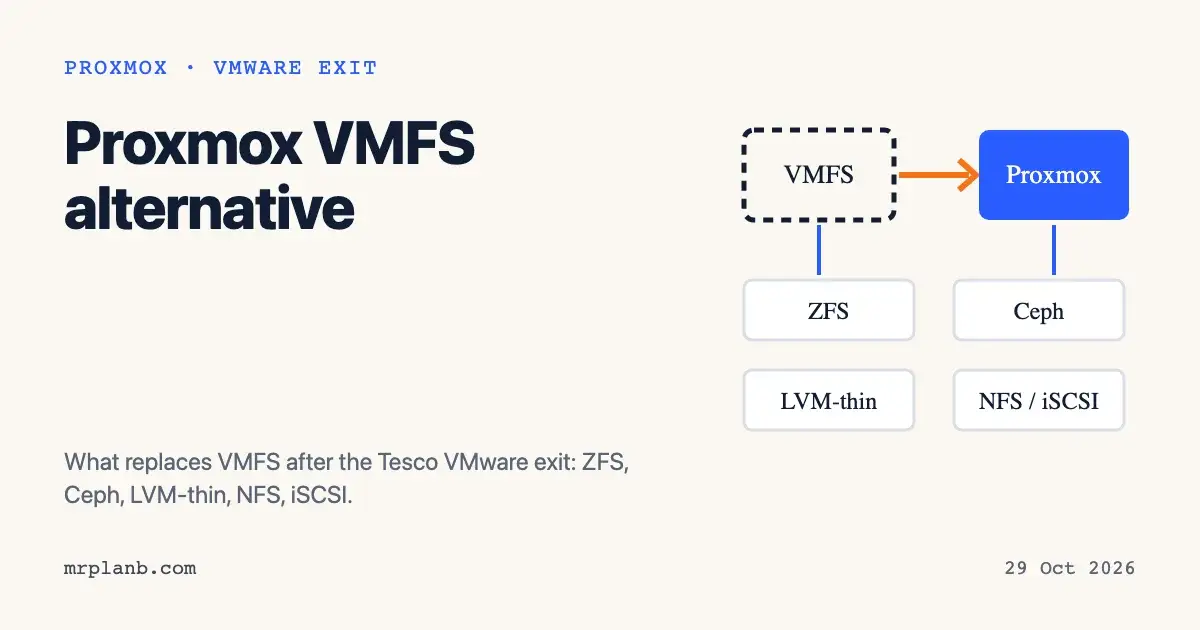
There is no direct Proxmox VMFS alternative. Proxmox VE does not ship a clustered file system for a shared LUN the way VMware does. You pick from local ZFS, LVM-thin, NFS or iSCSI, or Ceph, depending on how many nodes you run. The question is trending because Tesco appears to be planning this move at scale, though it has not said so.
Searches for "proxmox vmfs alternative open source" rose by about 7,750 percent this week, according to Google Trends. The jump follows the news on 26 October 2026 that Tesco is hiring someone to lead a VMware to Proxmox migration.
What the Tesco listing says
Tesco has not confirmed anything beyond the listing. The Register found it on 26 October 2026 and says it asked Tesco about the scope of the rollout; its article does not report a reply. SDxCentral, also dated 26 October 2026, says neither Tesco nor Proxmox has commented. It's FOSS says Tesco has not disclosed how many stores are covered or how fast the rollout will go.
I opened the Tesco careers listing itself. Its page title is Head of Software Development, and the description calls the role Head of Software Engineering: Edge Platform. It is based in Bengaluru, India, and the closing date is 31 October 2026. The role is to:
- lead the migration from VMware to Proxmox across Tesco's edge estate;
- define target architecture, migration patterns and repeatable build configurations for different store environments;
- build automation for hypervisor provisioning, configuration and workload migration, with rollback and recovery plans;
- run the "VMware exit programme" alongside the Edge Management Platform.
Listed skills include Java, Python, Terraform, Linux, edge computing, server hardware, virtualisation and storage. The listing says nothing about which Proxmox storage type Tesco will use, so everything below is general advice for readers planning their own move.
Background from the same reports: Tesco is suing Broadcom over perpetual VMware licences bought in 2021. According to The Register, Tesco says one Broadcom offer was 175 percent above its contract terms. VMware's side of that dispute is in The Register's article.
Why VMFS has no direct equivalent
VMFS is a cluster file system. Several ESXi hosts mount one shared LUN and read and write the same datastore, and VMware handles the locking. The Proxmox VE storage page lists 14 storage types, and none of them is a file system of that kind for a shared block device. In my reading of that table, the nearest options are these:
- LVM on a shared iSCSI or Fibre Channel LUN. The page says LVM is not shared by itself, but on iSCSI, FC or SAS LUNs it splits the LUN into virtual disks, and multipathing is usually required in cluster setups.
- Ceph/RBD for shared block storage and CephFS for shared files, both inside the cluster.
- NFS, which is shared and file based.
So moving off VMFS means choosing a new storage design. The datastore itself will not carry across.
The options in plain terms
| Storage type | Shared between nodes | Snapshots | Level |
|---|---|---|---|
| ZFS (local) | No | Yes | File and block |
| LVM-thin | No | Yes | Block |
| LVM on iSCSI or FC LUN | Yes, with caveats | Yes (footnoted) | Block |
| NFS | Yes | Yes, with qcow2 | File |
| Ceph/RBD | Yes | Yes | Block |
| CephFS | Yes | Yes | File |
These values come from the Proxmox storage page. On NFS, CIFS and directory storage, snapshots need the qcow2 format, and the page warns that internal qcow2 snapshots are slow on network storage such as NFS.
Local ZFS
The usual pick for a homelab or a small business server. The ZFS on Linux page says VM disks are stored as zvols and recommends mirror vdevs for VM workloads unless RAIDZ suits your case. It also says to use an HBA rather than a hardware RAID controller, and recommends ECC RAM. ZFS caches in memory: the ARC defaults to 10 percent of host memory, capped at 16 GiB, and a rule of thumb is 2 GiB plus 1 GiB per TiB of storage.
If you want a second node to hold a copy, storage replication works on local ZFS only. The web interface defaults to every 15 minutes, and the page warns that data written after the last sync can be lost if a node fails.
LVM-thin
A local block option with snapshots and thin provisioning. It is a fit for a single node on a hardware RAID controller, since ZFS wants direct disk access. It is not shared, so live migration between nodes will need the disks copied.
NFS and iSCSI
If you already own a NAS or SAN, NFS is the easiest shared option to set up. iSCSI with LVM gives block storage on an existing array, but you take on multipath configuration. Either way, you are keeping a single storage box as a dependency for the whole cluster, which is much the same position you were in with VMFS.
Ceph
Ceph gives shared storage with no array. The Proxmox Ceph guide asks for at least three nodes, at least 12 OSDs spread evenly across them, and at least 10 Gbps dedicated to Ceph traffic. It recommends 8 GiB of RAM per OSD and an HBA instead of RAID. That is a real hardware bill for a small shop. For a comparison of the options in practice, see Ceph vs ZFS vs NAS for Proxmox HA storage and Ceph vs ZFS in the Proxmox community.
Moving the data
Proxmox VE 8 and later has an import wizard, described on the Migrate to Proxmox VE page. You add the ESXi host as an import source, pick a VM, choose the target storage and network bridge, power off the source VM and start the import. Connect to the ESXi host directly, because the page says going through vCenter dramatically reduces performance.
The wizard has limits. Disks on vSAN cannot be imported, nor can encrypted disks. Datastore names with special characters such as "+" may fail, and VMs with snapshots import more slowly. The page tested ESXi 6.5 through 8.0. It also recommends no more than four disks importing at once, because each disk uses a read-ahead cache. For the licensing side of getting VM data out, see Broadcom VDDK access and VMware migration.
A short checklist for a homelab or small shop
- Count your nodes. One or two nodes: local ZFS or LVM-thin. Three or more with 10 Gbps networking: Ceph becomes realistic.
- Decide whether you need live migration with shared disks, or whether replication with a few minutes of lag is acceptable.
- If you keep a NAS or SAN, test NFS or iSCSI with LVM before buying hardware for Ceph.
- Check each source VM for vSAN disks, encryption and snapshots before you start the import.
- Import one non-critical VM first, as the wiki advises for live import, and time it.
What to watch next
The listing closes on 31 October 2026. If Tesco or Proxmox says more about the rollout, the storage design for store hardware will be the detail worth reading. Until then, treat the story as a signal that large VMware users are at least looking at Proxmox, and plan your own storage on what the Proxmox documentation supports.
Frequently Asked Questions
What is the Proxmox alternative to VMFS?
Proxmox VE has no single drop-in replacement for VMFS. Its storage page lists local ZFS, LVM and LVM-thin, NFS, CIFS, iSCSI, Ceph/RBD and CephFS. Which one fits depends on whether you need shared storage between nodes.
Can Proxmox read VMFS datastores?
Not directly. Proxmox VE 8 and later has an ESXi import wizard that connects to the ESXi host and copies each VM's disks to a Proxmox storage you choose. Disks on vSAN and encrypted disks cannot be imported until you move or decrypt them.
Is Tesco really moving from VMware to Proxmox?
Tesco has not confirmed it. The only public sign is a Tesco job listing for an Edge Platform lead in Bengaluru, whose stated task is migrating Tesco's edge virtualisation estate from VMware to Proxmox. The Register and SDxCentral report that Tesco has not commented on scope or timing.
Should a homelab use ZFS or Ceph with Proxmox?
For one node or a small cluster, local ZFS is the simpler choice. Ceph needs at least three nodes and a dedicated 10 Gbps network according to the Proxmox documentation, so it only makes sense when you want shared storage across several servers.
What is the Proxmox equivalent of vMotion with shared storage?
Proxmox VE can live migrate a VM between nodes. With shared storage such as Ceph, NFS or iSCSI the disks stay where they are. With local ZFS you can use storage replication, which copies changes on a schedule, 15 minutes by default in the web interface.