

Veeam UI Bug: When an IP Field Blocks Migration
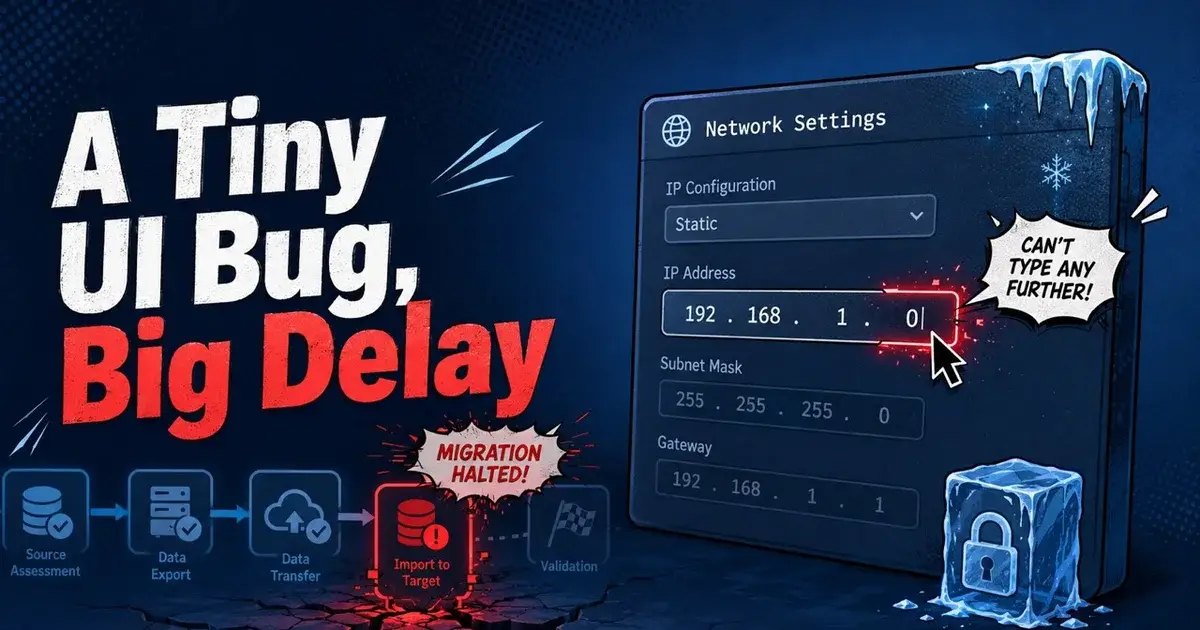
A reported Veeam migration failed at one of the simplest possible steps: entering a static IPv4 address. The administrator said the field stopped accepting input after a zero, pressing Tab moved directly to the subnet mask, and DHCP worked even though the intended static address could not be entered normally.
This is only one public report, so it should not be presented as a widespread Veeam networking defect. It is still worth examining because backup infrastructure migrations depend on predictable management addressing, and a tiny UI failure can block access to a system that exists specifically to protect every other system when something goes wrong.
What exactly failed in the Veeam IP address field?
The reported symptom was unusually specific. The administrator was migrating an old system to a new one with Veeam and could not complete the IPv4 address in the interface. Input after a zero was rejected, and keyboard navigation skipped forward to the subnet mask.
DHCP worked, and that detail separates the symptom from a complete network adapter failure. The appliance could apparently obtain network configuration dynamically, so the operator had a temporary path to connectivity. The broken part was the manual static address workflow in the screen they were using.
The comments mostly turned the malformed address into jokes about a three octet version of IPv4, which is understandable because the screenshot was absurd. One commenter offered an actual troubleshooting idea: type the whole address with periods instead of using Tab between octets, in case the field behavior was related to input focus or scaling. The thread does not confirm whether that workaround succeeded.
The evidence stops there. The case proves the reported UI symptom, but it does not prove the root cause.
Why does a small GUI bug matter during backup migration?
A backup server needs a stable management identity. Administrators reference it in DNS, firewall rules, repository communication, monitoring, certificates, scripts, hypervisor access, and operational runbooks. A temporary DHCP address can get an appliance online, but it may not be suitable as the final production design.
That makes the bug more than a visual annoyance. During a migration, the operator may already be changing a server name, operating system, appliance architecture, version, or network path. If the static address cannot be set at the expected step, every downstream dependency becomes harder to reason about.
The safest response is to keep the migration staged. Get the appliance reachable without changing production backup jobs, then fix or work around the network configuration and confirm the final IP, DNS, gateway, and route. Only then point repositories, proxies, hypervisors, or automation at the new management endpoint.
The same discipline appears in virtualization migrations. Mr.PlanB's Proxmox backup guide emphasizes restore architecture, but the operational prerequisite is still reliable management connectivity between backup components.
What does Veeam V13 officially support for appliance networking?
Current Veeam V13 documentation says enabled network adapters use DHCP by default during initial configuration. The operator can select Static to enter a fixed address, and an Advanced option opens the nmtui network configuration tool.
The documentation also says network settings can be changed later through the Veeam Host Management console. That gives you more than one supported path, so if one initial configuration screen behaves incorrectly, the administrator does not necessarily have to abandon the entire deployment.
Veeam also documents unattended appliance configuration where a static address, netmask, gateway, DNS server, and hostname can be provided in configuration parameters. That path is intended for automated deployment, but it shows that static addressing is a normal supported state and not some unusual edge case.
None of those documents explain the specific input failure in the administrator report. They simply establish the supported alternatives that can be considered when the GUI path is not usable.
How should the problem be narrowed without making it worse?
First, preserve the evidence. Capture the screen, exact Veeam build, appliance type, console method, display resolution, browser or remote console environment if relevant, and the address being entered. A UI defect is much easier to reproduce when the input sequence is known.
Second, test whether the problem is limited to that field interaction. If DHCP works, record the assigned address and confirm gateway, DNS, and management access. Do not immediately change firewalls or virtual switches when the network path is already functioning dynamically.
Third, try a documented alternative configuration path. For a V13 appliance, that can include the Advanced network option or Host Management after initial setup. If the system is being deployed through automation, use the supported unattended configuration method instead of inventing a manual file edit that may be overwritten later.
Avoid making several unrelated changes at the same time. Changing VLANs, virtual NIC types, DNS, gateway, appliance version, and the input method together can hide the original cause.
Is using DHCP temporarily acceptable?
Yes, if it is controlled and temporary. A DHCP reservation can provide a predictable address while the static configuration issue is investigated, and it is much safer than allowing the backup server to receive a random address that can change after a reboot.
The decision depends on the network design. Some organizations intentionally use DHCP reservations for infrastructure and consider that a stable configuration, while others require static addresses configured on the host itself. Follow the existing operational standard instead of turning a troubleshooting workaround into an undocumented exception.
If DHCP is used during migration, update the runbook with the temporary state and a clear condition for finalizing the address. Confirm that DNS points to the right system and that firewall policies do not accidentally trust a broader subnet because the final host address was unknown.
What should be tested after the address is fixed?
Connectivity is only the first test. Reconnect the Veeam console or Host Management interface on the final address. Confirm DNS forward and reverse resolution where the environment depends on it. Verify time synchronization, because certificates and authentication can fail in confusing ways when the clock is wrong.
Then validate repository and hypervisor communication. Run a small backup job and confirm the data path as well as the control connection. Perform an isolated restore if the migration changed the backup server or component roles.
Check monitoring and alerting too. A backup server that works at its new address but is no longer monitored can fail later without anyone noticing.
For environments that also maintain offline recovery copies, the PBS offline backup guide is a useful reminder that management connectivity and recovery independence solve different problems: fixing the IP restores operations, and independent copies protect against losing those operations entirely.
What would I do if the Veeam static IP field behaved like this?
Once DHCP proved the adapter and path could work, I would stop treating it as a networking outage. I would record the exact build and UI behavior, use the documented advanced or Host Management path to configure the final address, and keep the migration isolated until the management endpoint is stable.
I would also report the UI issue with the reproduction steps if static configuration is an organizational requirement, instead of silently settling for DHCP. Small defects survive when operators work around them without leaving enough evidence for the vendor to reproduce them.
The humor in the original discussion came from an IPv4 field that appeared to forget how IPv4 works. The operational lesson is less funny, because backup migrations need boring, predictable networking. When the interface fails at that basic job, use a supported alternate path, validate the final address, and do not move production recovery dependencies until the network state is settled.
Frequently Asked Questions
What happened in the reported Veeam static IP problem?
During a migration, the administrator said the UI would not accept characters after a zero in the IPv4 field, and pressing Tab jumped to the subnet mask. DHCP worked, which allowed the migration to continue but left the static address workflow unusable in that screen.
Does DHCP working prove the Veeam network is configured correctly?
It proves more than a total network failure, but not everything. If DHCP assigns an address and connectivity works, the adapter and basic network path are functioning, while the static configuration path, validation, or input control still needs investigation.
Is there an alternative way to configure Veeam appliance networking?
Current Veeam V13 documentation says the initial configuration wizard supports DHCP or static addressing and provides an Advanced option using nmtui. Network settings can also be changed later through the Host Management console.