


When an Upgrade Warning Says Something Is Broken but Not What
A warning that feels specific but isn't
At first it looks like a typical upgrade warning. A few advisories pop up during the compatibility check, about removed features and application-aware processing, and then comes the one that grabs your attention:
Proxmox Upgrades: The Quiet Gamble Behind "Smooth" Updates
"Agents on unsupported operating systems have been detected."
That sounds specific, and even serious.
So you do what any careful admin would do and audit everything. The hypervisors are supported, the VMs are supported, the Linux box is fine, and the backup server is up to spec. Everything checks out, and yet the warning remains, pointing at… nothing.
That's when confusion turns into suspicion.
Vague errors do real damage
The warning itself matters less than the missing detail. There are no hostnames, no agent list, and no hint about which system is supposedly unsupported, just a blanket statement that something is wrong somewhere.
"I have no idea where the problem lies," the user admits, and that's the moment things start to unravel. Without visibility you can't make a decision or fix what you can't see, and worst of all, you can't trust the system to tell you the truth.
When advice looks like a red flag
Here's where things get weird. Someone steps in and casually says: "All of that is just advisory."
That's the whole reply, with no explanation or breakdown, just a reframing of what looked like a critical issue into something… optional.
Suddenly you're stuck between two readings of the situation. In one, the system is warning you about real risk. In the other, the warning doesn't actually matter. That kind of ambiguity is frustrating and also dangerous, because the decision to proceed now rests on psychology more than on anything technical.
The upgrade goes from unclear to broken
Eventually curiosity, or necessity, wins and the upgrade begins. That's when things take a sharp turn.
The installation fails at the final step. A core service, the REST API, refuses to start. Retrying doesn't help and rebooting doesn't help. Dependencies break, and the web service collapses along with them.
Then comes the worst part: you can't even connect to the backup server anymore. What started as a vague warning has become a full system failure.
When the system locks you out
A specific kind of panic hits when your backup system becomes inaccessible. It isn't slow or buggy; it's simply unreachable.
"Failed to connect to backup server localhost."
That message lands differently when your safety net is the thing that's down. Backups are the last line of defense, hardly optional infrastructure, and now that line is gone.
The twist: it was never what it seemed
The next part almost feels insulting. After working through the mess and getting the system back into a working state, it turns out nothing was actually wrong.
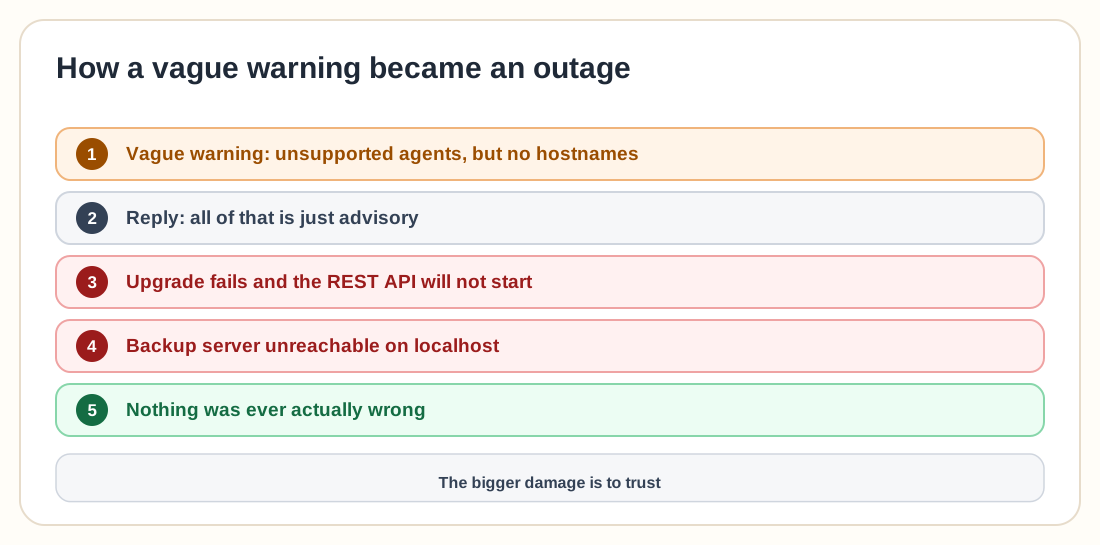
The "unsupported OS agents" warning didn't affect anything. Jobs ran fine, the systems were supported, and everything behaved normally. The scariest warning in the whole process wasn't real, or at least not in the way it was presented.
The frustration boils over
At this point the tone of the thread shifts. "It's stupid," one voice says bluntly, since the message clearly implies a real issue and then turns out to be just advisory.
Another goes further and says in-place upgrades themselves are the problem, "a recipe for disaster."
It's hard to argue with that. When warnings mislead and upgrades fail halfway through, trust erodes fast.
Three ways people process this chaos
People interpret the same experience in strikingly different ways.
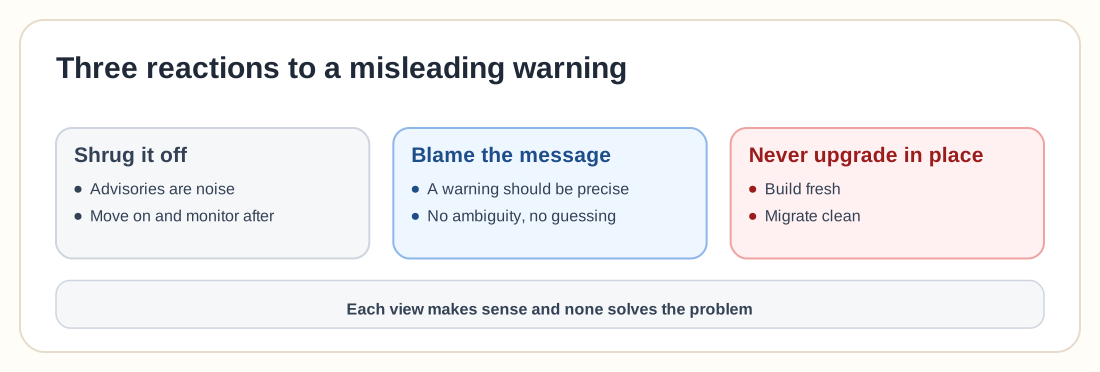
One group shrugs it off. Advisory warnings are just noise, so ignore them, move on, and monitor after the upgrade.
Another group sees a failure of communication. If a system warns you, it should be precise, with no ambiguity and no guessing.
The third group has been burned before, and for them this confirms an old belief: never trust in-place upgrades. Build fresh, migrate clean, and avoid the risk entirely.
Each perspective makes sense, and none of them fully solves the problem.
Trust is what broke
It's easy to focus on the broken install, the failed services, and the downtime, but the bigger damage is to trust.
When a system tells you something is wrong, you expect it to be accurate. When it isn't, every future warning becomes questionable and every alert becomes something you might ignore, and that's how real problems get missed.
The lesson behind the noise
The pattern here goes beyond one upgrade. Modern systems are getting better at detecting potential issues and worse at explaining them. They surface warnings without context, errors without clarity, and advisories that sound like critical failures.
When that happens, the user is left to figure out what matters. That works until the day it doesn't, because the next time a warning appears you'll hesitate, and in infrastructure, hesitation is where mistakes begin.