

Clean Install, Still Broken: When Starting Over Doesn't Save You
The nuclear option that was supposed to fix everything
There's a point in troubleshooting where you stop tweaking and just wipe the slate clean with a full reinstall and a fresh OS, so there are no leftovers, no corruption, and no excuses.
The Proxmox Ghost: Why Fresh Server Installs Are Terrifying Admins
That's where this story begins, or rather, where it should have ended.
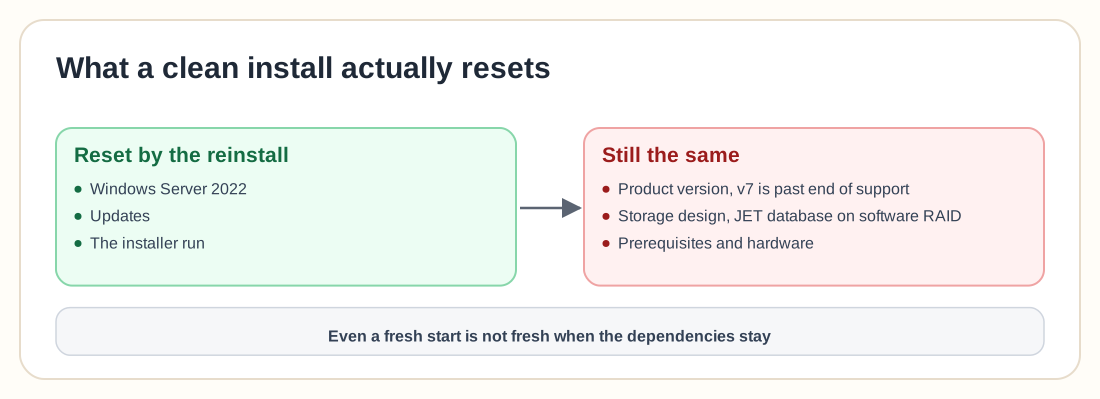
After battling failed services, broken installs, and missing logs, the decision was simple: start over completely. Format the drive, reinstall Windows Server 2022, install updates, and run the installer again.
For a brief moment, it looked like success. The installation completed with no errors and no warnings. Then reality hit.
The service that refuses to exist
The core service, Veeam.Archiver.Service, just… won't start. It isn't delayed, slow, or misconfigured. It starts and immediately stops, every time, with no meaningful logs and no clear errors, just silence.
That's what makes this kind of issue so unsettling. It fails silently instead of loudly, at a level so low that even the system doesn't seem to understand what's happening.
When even logs give up
At this point, the usual playbook kicks in: check Event Viewer, check installation logs, check service dependencies. Except there's nothing there.
On Server Core, there are no logs at all. On Desktop Experience, logs exist, but they don't explain the failure.
One reaction sums it up perfectly: "That's shocking." When a Windows service fails without leaving a trace, it breaks one of the core assumptions of troubleshooting, which is that failures leave clues. Here, they don't.
The spiral of "maybe it's this"
Once you lose clear signals, troubleshooting becomes guesswork. Maybe it's the OS version, or missing prerequisites, or hardware, or the installer version.
And the suggestions start rolling in:
- "Server Core was never going to work."
- "Why are you still using v7?"
- "Check prerequisites."
- "Try Windows Server 2019 instead."
None of these are wrong, but none of them are definitive either. They're directions to explore rather than solutions.
The version problem people avoid
One theme keeps surfacing: version choice. Multiple voices point out the same thing, that v7 is effectively outdated. It's past end of support, gets no recent patches, and has limited help available.
That shifts the narrative slightly. Maybe the environment, the install process, and even the hardware are fine, and you're fighting something that simply isn't meant to work anymore. Accepting that is hard, especially when the failure doesn't look like a version issue.
The infrastructure reality check
Then the conversation widens. Someone asks about hardware specs, and another questions storage design: running a JET database on software RAID without proper caching.
Suddenly, a service failing to start turns into questions about the entire environment:
- Is the hardware appropriate?
- Are the storage choices safe?
- Are the prerequisites truly complete?
Modern backup systems aren't forgiving. They assume certain conditions, and when those conditions aren't met, even subtly, things break in ways that don't make sense.
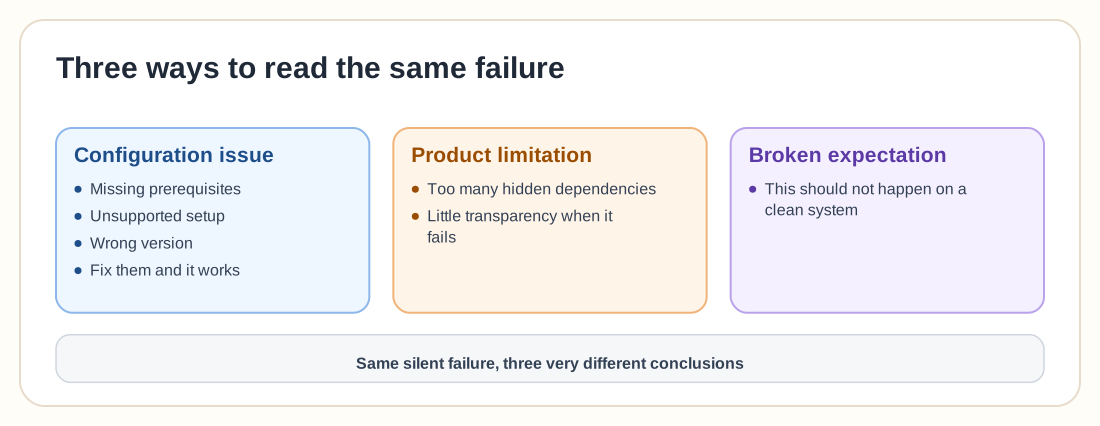
Three ways to interpret the same failure
What's fascinating is how differently people frame this problem.
One group sees it as a configuration issue. Missing prerequisites, unsupported setups, and the wrong version are fixable, and once they're fixed it should work.
Another sees it as a product limitation, with too many hidden dependencies and too little transparency when things fail.
And then there's the third perspective, the one you feel when you're stuck in it: "This shouldn't be happening on a clean system." That comes from a broken expectation more than from technical frustration.
The pattern behind the chaos
We've seen this pattern before. A clean install fails, logs don't explain it, support is slow or inconclusive, and community suggestions scatter in different directions.
Eventually, the "fix" is an inelegant workaround:
- Try a different OS version
- Use a newer product version
- Change architecture entirely
None of those are guaranteed solutions, but something has to change.
The service is only the symptom
It's tempting to focus on the service that won't start, but that's just the symptom. The bigger issue is a system that fails without explaining why. When software can break on a pristine environment and give you no meaningful feedback, troubleshooting turns into guessing.
The takeaway
There's no clean resolution here and no single fix that solves everything, only a situation that's becoming more common: even "fresh starts" aren't always fresh.
Modern systems carry invisible dependencies on versions, environments, and configurations that don't reset just because you reinstall the OS. When those dependencies aren't met, things fail silently, and that's what makes them so hard to trust.