

Can Proxmox Replace Windows 365 for Small Business?
Proxmox can replace the compute layer of a Windows 365 Cloud PC for a small business, but it does not replace the Windows 365 service around that desktop. If you self host Windows on Proxmox, you become responsible for Windows licensing, secure remote access, identity, endpoint policy, backups, hardware failures and Internet availability.
That can still be a good trade for one technically capable owner with existing server hardware. It becomes less attractive when the main goal is simply to open the same managed Windows desktop from any device without becoming the person who operates the cloud behind it.
What is Windows 365 actually selling?
Windows 365 is a Microsoft managed Cloud PC service that gives a user a persistent Windows desktop hosted by Microsoft and accessible from different devices.
Microsoft describes Windows 365 as a cloud based software as a service that automatically creates Cloud PCs for users. Windows 365 Business targets smaller organizations and supports up to 300 users.
Windows running in a virtual machine is only part of what you pay for. The service bundles provisioning, connectivity, a user access experience and Microsoft managed infrastructure into a predictable per user subscription, and Windows 365 Business has no licensing prerequisites to get started. That is the benchmark a Proxmox design has to match.
What would Proxmox replace?
Proxmox replaces the hypervisor and VM hosting layer. You can create a Windows 11 or Windows Server VM, assign CPU and memory, store it on redundant disks, back it up and access it remotely.
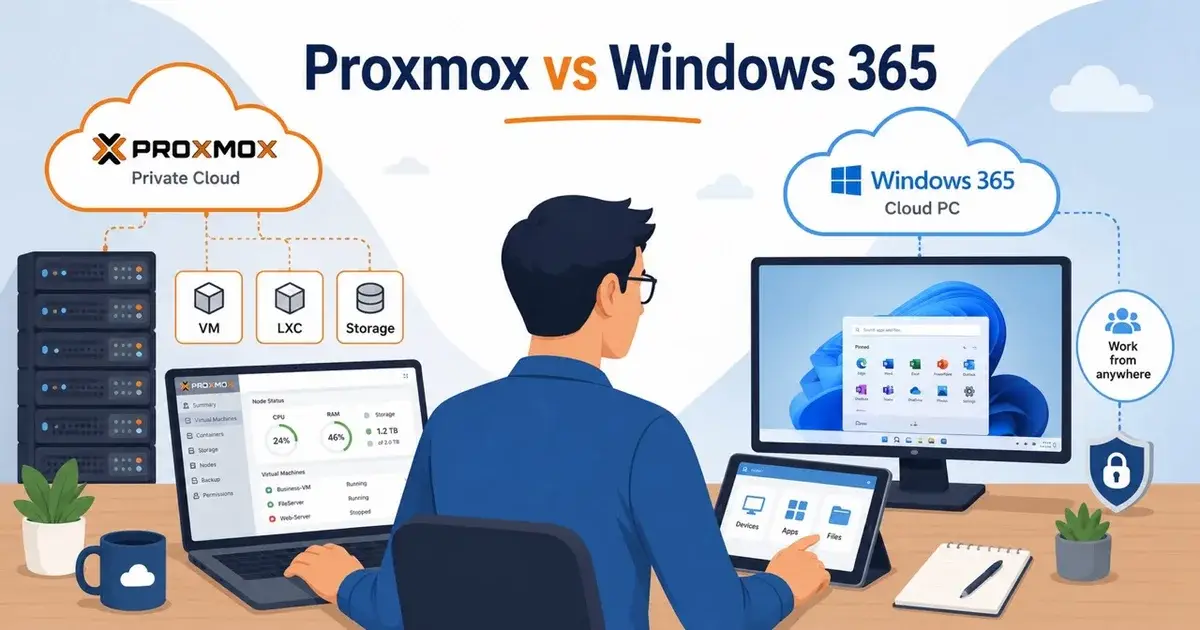
For one user, the architecture can be straightforward. A small server runs Proxmox, and a Windows VM on it becomes the main desktop. A secure VPN or remote access layer exposes it only to the owner, while Proxmox Backup Server or another backup system protects the VM. That is closer to building your own private Cloud PC than buying Windows 365.
If you want browser based workspaces instead of a traditional remote desktop, Mr.PlanB has a guide to Kasm Workspaces on Proxmox.
How much does Windows 365 Business cost in 2026?
As of August 15, 2026, Microsoft's US annual subscription pricing lists Windows 365 Business starting at $25.60 per user per month for 2 vCPU, 4 GB RAM and 64 GB storage.
The 2 vCPU, 8 GB RAM and 128 GB option is $36 per user per month. A 4 vCPU, 16 GB RAM and 128 GB Cloud PC is $56 per user per month. Those prices changed in 2026 after Microsoft reduced Windows 365 Business list prices.
For one person, the 2 vCPU, 8 GB configuration works out to $432 per year before tax at the listed US annual subscription rate.
A Proxmox server can look cheaper if you already own the hardware. If you buy a server, UPS, redundant SSDs, backup storage and replacement hardware specifically for this purpose, the comparison changes quickly, and power and administrator time count too.
Is Proxmox cheaper than Windows 365 for one person?
Proxmox can be cheaper when the hardware already exists and you are comfortable managing it. Windows 365 is usually easier to price because the monthly subscription already includes the Cloud PC infrastructure.
Suppose you already have a small server with enough spare capacity. The incremental Proxmox compute cost may be close to zero, excluding electricity and maintenance.
Now suppose you buy a dedicated mini PC, two SSDs, a UPS and a separate backup target. The first year can cost more than a basic Windows 365 subscription even before you value your time. The second and third years can favor self hosting because the hardware has already been paid for.
So the decision comes down to ownership more than hypervisor license cost. Proxmox itself is open source, but your Windows desktop is not automatically free because it runs on Proxmox.
What Windows license do you need for a Proxmox desktop VM?
This is the part I would verify before building the service.
Microsoft's commercial licensing guidance treats access to virtual Windows desktops separately from simply owning an OEM Windows license on a laptop. Windows Virtual Desktop Access licensing exists for users or devices that need rights to access virtual Windows desktop environments and are not otherwise covered by a commercial license with those rights.
The correct license depends on how Windows was acquired, who accesses the VM and the devices used to access it. Do not assume that a spare Windows 11 Pro product key automatically gives a business the same remote virtualization rights as Windows 365.
Microsoft licensing changes over time and contract channels differ. If this is for business production use, confirm the exact rights in the current Microsoft Product Terms or with your licensing provider.
Windows 365 Business is simpler here because Microsoft says there are no licensing prerequisites to buy and deploy it.
Is remote access to Proxmox as easy as Windows 365?
No, because you have to build the access path yourself, and you should not expose Windows RDP directly to the public Internet.
Use a secure VPN, zero trust access product, Remote Desktop Gateway or another authenticated access layer. Add MFA where the chosen platform supports it. Keep the Proxmox management interface separate from the desktop access path.
Your home or office Internet connection also becomes part of the service. If the building loses power, the ISP fails or the router dies while you are traveling, your private Cloud PC disappears with it. Windows 365 moves much of that infrastructure risk to Microsoft, and for some owners that is the entire reason to pay the subscription.
What happens when the Proxmox hardware fails?
A single Proxmox host is a single failure domain unless you build redundancy around it.
You can use mirrored ZFS storage to survive one disk failure, keep VM backups on another system, or build a multi node Proxmox cluster with HA and shared storage. Each step adds hardware and operating complexity.
Windows 365 is designed around Microsoft managed Cloud PC infrastructure. Microsoft also documents business continuity behavior and point in time restore capabilities for Cloud PCs. Outages can still happen there, but Microsoft operates the underlying compute platform instead of you.
If you self host, decide your recovery time before the server fails. The wider Proxmox platform guide is worth reading before turning one host into a business critical desktop service.
How should you back up a Proxmox Cloud PC?
Treat it like any other important workstation and then add image level recovery.
Back up the VM to storage that is not inside the same physical server. Keep important user files synchronized or backed up separately, and test restoration. A mirrored pair of SSDs is not a backup.
For a solo business, I would want at least three recovery paths: a recent VM backup, independent copies of important documents and a fallback physical device that can access email and cloud files if the Proxmox server is unavailable. That fallback device matters because the failure you are planning for is the machine that normally contains your whole desktop.
Windows 365 Business includes point in time restore functionality for Cloud PCs, which is another service feature you would be recreating with your own backup stack.
Can you use the same Proxmox desktop from a laptop and tablet?
Yes, if the remote access software supports those devices and the network path is available. That is one of the strongest reasons to build a centralized desktop, since your files, applications and settings remain inside the VM rather than being recreated on every endpoint.
The user experience depends heavily on latency. A Windows VM in your Warsaw office may feel excellent from another location in Poland and poor from a hotel on another continent. Windows 365 can place Cloud PCs in Microsoft infrastructure designed for remote delivery, although user experience still depends on network conditions. Test from the locations where you actually work.
What security work does Windows 365 remove?
Windows 365 removes much of the physical hypervisor and remote connectivity work. Proxmox gives you control, which also gives you responsibility.
With self hosting, you need to patch Proxmox, patch Windows, secure the router or VPN, protect credentials, configure backups, monitor storage health and decide what happens after a hardware failure.
You also need to separate the management plane. The Windows desktop user should not need access to the Proxmox admin interface, and a compromise of the daily desktop should not automatically give an attacker control of the hypervisor and backups. That separation is easy to forget when one person owns every password.
Who should choose Proxmox instead of Windows 365?
I would choose Proxmox for a technically capable solo operator who already has reliable hardware, wants full control of the desktop, has a good backup system and does not mind maintaining secure remote access.
It also makes sense when the server will do more than host one desktop. The same Proxmox machine might run development VMs, a lab, monitoring, internal services and a Windows workstation, which makes the hardware easier to justify.
I would choose Windows 365 when the desktop itself is the product you want. If you do not want to maintain a hypervisor, VPN, UPS, backup target and Windows licensing model, the subscription is buying back your time.
What would I choose for a solo business owner?
If my business depended on the desktop every day and I did not already operate servers, I would start with Windows 365 Business or another managed desktop service.
At the current US list price, $36 per user per month buys a 2 vCPU, 8 GB RAM and 128 GB Windows 365 Business Cloud PC. That is a clear operating expense and removes a lot of infrastructure work.
If I already had a Proxmox server, redundant storage, off host backups and secure remote access, I would test a Windows VM before adding another subscription.
It comes down to whether you want to own the desktop or own the infrastructure that keeps the desktop alive. Proxmox gives you more control, and Windows 365 gives you fewer systems to operate. For a one person company, your time is usually the most expensive server in the room.
Frequently Asked Questions
Can Proxmox replace Windows 365?
Proxmox can host a Windows VM that you access remotely, but it does not provide the complete Windows 365 Cloud PC service. You must supply licensing, remote access, identity, security, backups and availability yourself.
How much does Windows 365 Business cost in 2026?
As of August 2026, Microsoft's US annual pricing starts at $25.60 per user per month for 2 vCPU, 4 GB RAM and 64 GB storage. A 2 vCPU, 8 GB RAM and 128 GB Cloud PC is listed at $36 per user per month.
Does Windows 365 Business require another Microsoft license?
Microsoft says Windows 365 Business has no licensing prerequisites and can be purchased directly for up to 300 users. Other Microsoft services and management features may have separate licensing requirements.