

Veeam Support Cases: When Six Months Is Too Long
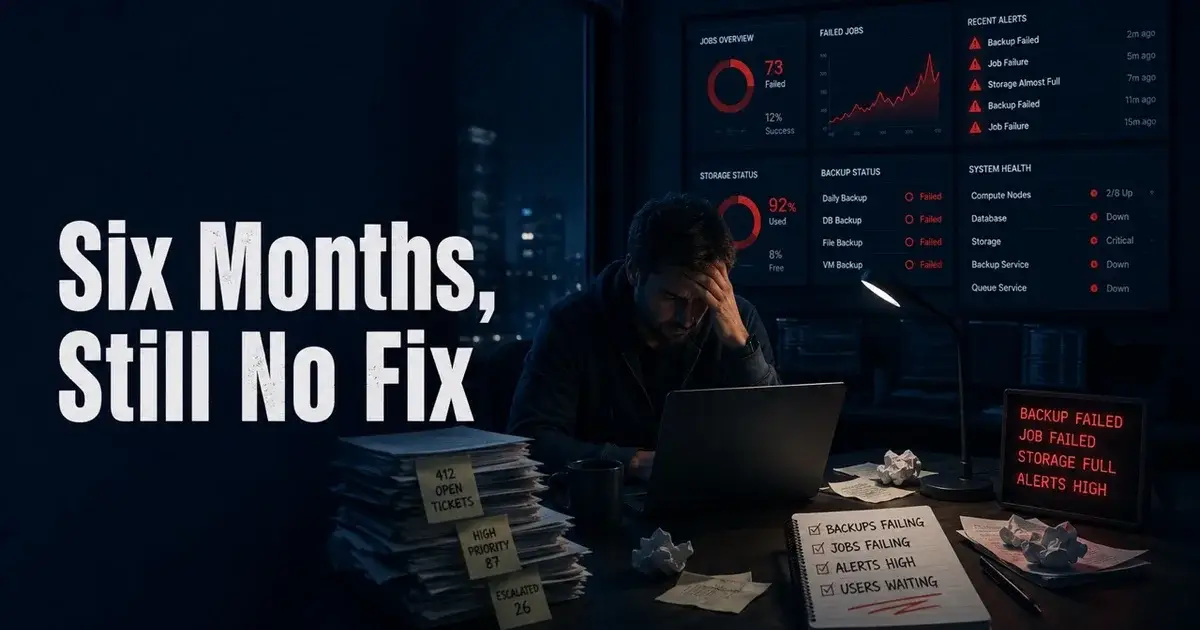
A six month backup support case is too long when the unresolved problem keeps breaking normal protection workflows. In one 2026 Veeam environment, the administrator reported repeated S3 failures, Scale-Out Backup Repository tiering failures, locked backup files, stuck tape jobs, and daily checkpoint removal errors. By then the complaint had grown from one ticket into a loss of confidence in the recovery system.
By the administrator's description, this was no tiny lab. The administrator said object storage existed at both the main data center and a disaster recovery site, with dedicated 10 Gb site-to-site fiber and measured throughput of roughly 900 to 980 MB/s to each appliance. Veeam support had requested registry changes and additional logging, yet the operational failures continued, and at that point a support problem turns into an infrastructure problem.
When does slow support become a backup risk?
Slow support becomes a backup risk when failed jobs remain unresolved long enough that operators stop trusting the protection chain. A backup product is unusual software because the failure may stay hidden until the day a restore is needed, which makes uncertainty expensive.
The administrator who started the discussion described multiple symptoms, well beyond a cosmetic bug or one confusing wizard, that touched object storage, backup copies, tape, and Hyper-V checkpoint cleanup. Some jobs would get stuck until somebody noticed, so human monitoring had become part of the backup workflow.
There is a practical difference between an annoying support experience and an unsafe one. A delayed answer about a report format can wait. A recurring condition that blocks backup copy, delays tape, or leaves checkpoint cleanup failing every day deserves a defined escalation path.
The Mr.PlanB backup comparison for Proxmox makes the same recovery-first point from another platform. Feature lists matter, but the platform earns its place only when operators can explain how a failed job gets detected, diagnosed, and restored to a known good state.
What evidence should a Veeam escalation contain?
A useful escalation should contain a timeline that another engineer can reproduce. The strongest part of the 2026 complaint was the amount of operational detail the administrator eventually supplied.
The S3 storage was on premises at two sites. The DR path used dedicated 10 Gb fiber. Throughput tests reached roughly 900 to 980 MB/s to each appliance. Multiple buckets existed, with each limited to a maximum of two jobs. Most primary backups landed on local disk and were then copied to S3 through backup copy jobs. Tape jobs read from local disk instead of pulling data back from object storage.
Support had also requested changes under the Veeam Backup & Replication registry path. The administrator reduced CheckpointRemovalParallelism from the stated default of 64 to 32, enabled S3VerboseLoggingMode, and increased S3RequestTimeoutSec from the stated default of 120 seconds to 600 seconds.
Those values should not be copied blindly into another environment. They matter as evidence that support had already moved beyond first-line troubleshooting and was testing concurrency, logging, and timeout behavior.
Why is "the network is fast" not enough evidence?
A fast throughput test does not prove that an object-storage workflow is healthy, although it does mean a simple explanation such as "the WAN is obviously slow" needs more evidence.
Object storage behaves very differently from a large sequential file copy. Veeam maintains backup metadata and data objects, and current Veeam documentation describes object storage as a supported target for backup jobs, backup copy jobs, and Scale-Out Backup Repository tiers. The workload can therefore involve many API operations, metadata updates, object creation, retention logic, and job concurrency.
When troubleshooting, keep in mind that a 900 MB/s bulk transfer can look excellent while a workload still suffers from request latency, throttling, timeouts, metadata contention, storage-side behavior, or a software path that fails under concurrency.
A good test plan separates layers. Confirm basic network loss and latency, then DNS and TLS behavior, then object-store health with the storage vendor. Reproduce the problem with one bucket and one job before increasing concurrency, and compare local-disk-only workflows against object-backed workflows.
Mr.PlanB's article on the real cost and behavior of S3-style storage is useful context because object storage has different operational assumptions from local block storage. Treating every problem as a bandwidth problem hides those differences.
Should support registry changes be treated as permanent fixes?
No. Treat a registry change requested during troubleshooting as an experiment until the result proves otherwise. Every change needs an owner, a reason, the original value, the new value, the date, and a rollback condition.
Emergency troubleshooting accumulates, which is why this discipline is worth the effort. Six months later, an environment can contain several hidden knobs that nobody remembers. A future upgrade may behave differently because of a setting introduced during an old case. Another engineer may see the nondefault value and assume it is part of the supported design.
For the reported environment, three changes were visible: lower checkpoint removal parallelism, verbose S3 logging, and a longer S3 request timeout. Each points at a hypothesis, and none of them proves the root cause by itself.
After every experimental change, run the same test workload and record whether the symptom changes. If the failure becomes less frequent, that is evidence. If nothing changes, restore the original value unless support explicitly says the setting should remain.
How do you know when it is time to test an alternative?
Test an alternative when the existing platform has a material reliability problem and there is no credible resolution timeline. Testing is a long way from migrating production immediately.
Start with a representative proof of concept. Protect one VM, one application workload, one offsite copy, and one restore path. Include tape, object storage and failover clusters if your environment depends on them, then compare the operator effort required to reach the same recovery outcome.
The discussion around the Veeam complaint named several alternatives, but the test matters more than the product names. A replacement that looks cleaner during installation can still fail the first serious recovery exercise. Another product may solve the specific S3 issue while creating higher licensing cost, new appliances, or a more difficult support model.
Use the Mr.PlanB storage hub to frame the storage side separately from the backup software choice. Repository media, object storage, tape, and network design can all create symptoms that look like a backup application problem.
What would I do after six months with no resolution?
I would stop treating the situation as one support ticket and create an incident-style technical dossier with the exact Veeam build, storage firmware, network path, bucket layout, failing job types, logs, registry changes, failure timestamps, and the last known clean period.
Then I would run two tracks at the same time. The first would be a formal escalation with one reproducible failure and a demand for a clear next diagnostic step, and the second a small replacement test using the same workload and restore requirements.
I would also remove hidden dependencies on somebody "noticing" a stuck job. Alerts should identify failed tiering, stalled copies, tape delays, and checkpoint cleanup problems before the next business day.
A bad support interaction is frustrating, but six months of unresolved instability in recovery infrastructure is a bigger problem. At that point the organization needs evidence that the current platform can be made trustworthy again, or evidence that another platform can do the job better.
Frequently Asked Questions
Can a long Veeam support case justify switching backup platforms?
It can if the unresolved issue affects recovery reliability and the organization no longer has a credible path to resolution. One 2026 administrator reported six months of S3, SOBR, file locking, and checkpoint problems before asking for alternatives.
What should be documented before escalating a Veeam support case?
Record the exact Veeam build, job IDs, timestamps, repository topology, storage performance, network paths, logs, requested registry changes, and the business impact. A reproducible timeline helps more than a general statement that backups are unreliable.
Should a company replace Veeam because one support case went badly?
Not automatically. First separate the technical failure from the support failure, establish whether the environment has a product defect or a design problem, and compare the cost of migration with the cost of continued instability.