

Ceph 19.2.6 Upgrade: Check PG Counts Before You Start
Ceph Squid 19.2.6 is a security update worth installing, but I would not treat a large cluster like a laptop that can be patched first and investigated later. Before upgrading, check cluster health, pool placement group counts, the internal .mgr pool, client compatibility, and the new CephX key rotation requirements introduced by this security release.
I cross-checked the Ceph 19.2.6 release announcement, the Ceph Manager documentation, and the community warning that calls out PG count on .mgr before upgrading larger clusters. The upstream tracker discussion is why I'm adding caution, and the Ceph release announcement is why I wouldn't postpone the security upgrade indefinitely.
Why is Ceph 19.2.6 an urgent upgrade?
Ceph 19.2.6 is an urgent Squid hotfix that addresses four CVEs across authentication, RGW, and monitor behavior. The Ceph project published Squid 19.2.6 together with Tentacle 20.2.4 on August 19, 2026 and strongly recommended that operators upgrade.
The four listed issues are CVE-2025-30156, CVE-2026-39944, CVE-2026-50152, and CVE-2026-54330. The first matters most here, because the remediation introduces a new CephX key type named aes256k and a new key upgrade and rotation procedure.
That changes the nature of the maintenance. On top of replacing packages or container images, depending on your deployment method and clients, you may also need to verify that daemons and clients understand the new key type before you rotate credentials.
Ceph says cephadm automates rotation for OSD and MDS keys during the upgrade, while some client keys still require operator attention. Kernel client support for aes256k begins upstream in Linux kernel 7.0, with backports available in some distributions. So "my Ceph cluster is on 19.2.6" and "every client is ready for the new key" are separate checks.
If this Ceph cluster sits under Proxmox, treat the storage layer as its own change plan. The Proxmox section is useful for the hypervisor side, but the Ceph release notes should remain the authority for Ceph security sequencing.
What is the .mgr pool and why should I inspect it?
The .mgr pool is a reserved Ceph pool created by the Ceph Manager service so manager modules can store persistent state. Ceph documentation explicitly describes it as the manager module pool, and the leading dot marks it as an internal reserved pool name.
Admins can overlook this pool because it does not contain normal RBD images or CephFS user data, but it is still not disposable. Proxmox staff have also warned users not to delete or casually modify internal dot-prefixed Ceph pools.
The current community warning around Ceph 19.2.6 tells operators of larger clusters to check placement group count on .mgr before upgrading. The linked Ceph tracker issue is still the right place to follow the precise bug status and any final upstream remediation, so I would not invent a universal "safe" PG number that Ceph itself has not published.
What I would do is record the pool configuration before touching the cluster:
ceph health detail
ceph osd lspools
ceph osd pool ls detail
ceph osd pool autoscale-status
ceph -s
Then identify the .mgr entry in the pool detail output and record its pg_num, autoscale mode, size, and application metadata. If your cluster is large or the .mgr pool configuration looks unusual, compare it directly with the upstream issue and mailing list guidance before proceeding. That beats guessing that a higher or lower PG count must be correct.
Why do placement group counts matter during a Ceph upgrade?
Placement groups are the logical layer Ceph uses to map objects onto OSD sets, so PG count directly affects how much cluster state daemons must track and move. Too few PGs can hurt distribution, while too many PGs increase memory and peering overhead.
Modern Ceph includes the PG autoscaler to reduce the amount of manual tuning required, but autoscaling does not mean every historical pool in every large cluster has an ideal configuration. Internal pools can also survive multiple generations of upgrades and configuration changes.
Before a security upgrade, I care less about reaching a mathematically perfect PG count and more about detecting exceptions. Is one tiny internal pool carrying a surprising number of PGs? Is autoscaling disabled on a pool nobody remembers creating? Are there PGs that are not active+clean before maintenance even begins?
If the cluster starts the change in a degraded or recovering state, you lose the ability to tell whether the upgrade caused the problem. That is why my first gate is boring: ceph -s should show a state I already understand.
For a broader explanation of how storage design choices interact with virtualization, the storage section is more useful than trying to fix pool architecture inside an emergency patch window.
What should I check before installing Ceph 19.2.6?
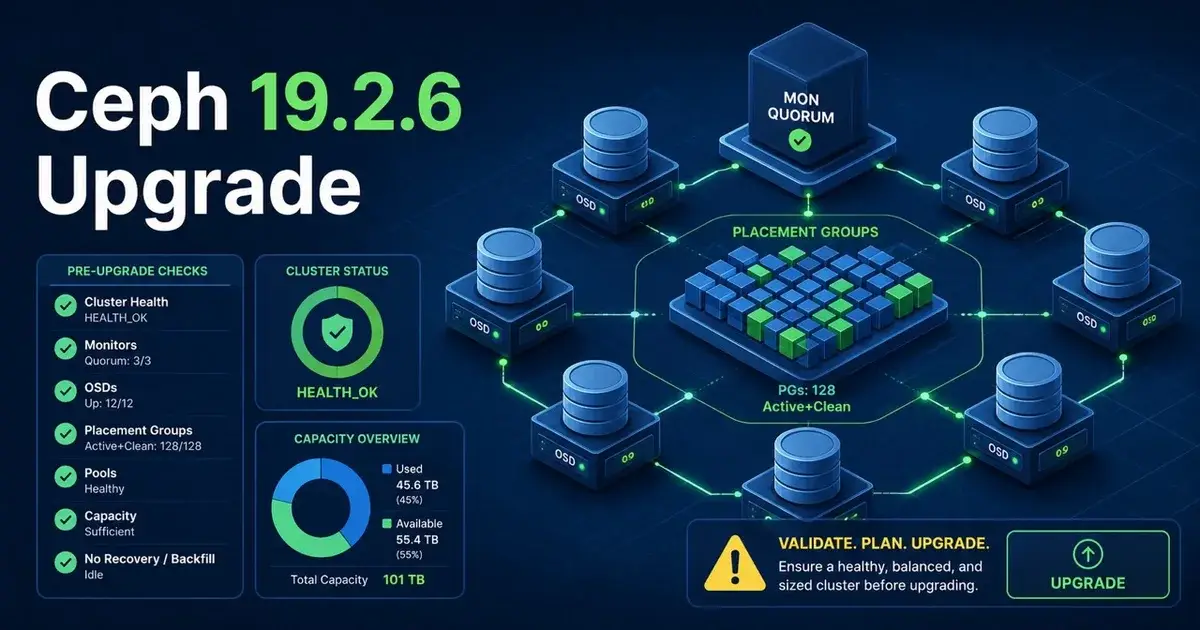
A Ceph 19.2.6 preflight should prove that you know the starting state and can reverse course if a node or client behaves differently after the upgrade. I would capture both cluster state and dependency state, and my checklist would include:
- Confirm all monitors, managers, OSDs, and MDS daemons expected to be running are up.
- Confirm PG states are understood and preferably
active+cleanbefore starting. - Record
ceph versionsso you know exactly which daemons are on which release. - Record all pool details, with specific attention to
.mgrand any other internal pools. - Review
ceph osd pool autoscale-statusfor unexpected PG recommendations or disabled autoscaling. - Check free capacity and recovery headroom. Security urgency is not a reason to upgrade a cluster already close to full.
- Review the official Ceph 19.2.6 CephX key rotation procedure before the first daemon is changed.
- Inventory kernel CephFS and RBD clients, not only cluster daemons.
- If you use RGW multisite, follow the release note about
rgw_sigv4_insecurebefore beginning the upgrade. - Back up critical configuration and monitor data using the method appropriate to your deployment.
I would also save the outputs in the maintenance ticket. When something changes after node three, "I think it looked like that before" is useless. A text capture of the preflight is cheap evidence.
What is special about CephX key rotation in 19.2.6?
Ceph 19.2.6 introduces aes256k as a new CephX key type, so authentication compatibility must be considered across daemons and clients. Ceph calls this the first introduction of a new CephX credential key type, which is why the release has a specific key upgrade procedure.
For cephadm deployments, daemon key rotation is more automated, but the release announcement still tells operators to expect a longer upgrade while OSD and MDS keys are rotated. Client keys remain a separate concern.
This is where mixed environments can surprise you. A modern Ceph cluster can serve older kernel clients, containers, hypervisors, backup systems, and appliances. The cluster can complete its daemon upgrade while one client still lacks support for the credential path you intend to use.
I would therefore separate "upgrade daemon software" from "rotate every credential immediately" in the runbook. Follow the official procedure, validate representative clients, then continue rotation with evidence that the client estate is ready.
Does Proxmox change the Ceph 19.2.6 upgrade decision?
Proxmox makes the maintenance impact more visible because Ceph may be carrying live VM disks while you patch it, but it does not remove the need to follow Ceph's own security guidance. The main additional concern is keeping enough storage and compute redundancy while hosts move through maintenance.
If you are also preparing a Proxmox VE 8 to 9 upgrade, avoid stacking every major change into one window. Proxmox VE 8 EOL is also pressing, but a staged plan is still safer. I would complete and validate the required Ceph path, then move on to the Proxmox major version change.
I cover that sequencing in the Proxmox VE 8 EOL upgrade guide, because the deadlines are related but the failure domains are different.
Should I delay Ceph 19.2.6 because of the .mgr warning?
I would not delay Ceph 19.2.6 indefinitely. Four security fixes and an explicit upstream recommendation to upgrade outweigh the convenience of staying on an older Squid patch level.
I would delay the first production node long enough to inspect .mgr, read the current tracker issue, validate cluster health, and understand the new key rotation path. That could be hours or a maintenance cycle. It should not become an excuse to leave an exposed cluster unpatched for months.
If I ran a large Ceph cluster today, my order would be simple: capture the current state, investigate any unusual .mgr PG configuration, stage the upgrade on the least risky environment available, patch the production cluster in controlled waves, and rotate credentials only with verified client compatibility. Security urgency should make the process faster without making it careless.
Frequently Asked Questions
Should I upgrade to Ceph 19.2.6 immediately?
Ceph strongly recommends upgrading because Squid 19.2.6 fixes four CVEs. Large clusters should still run a preflight first, especially around placement groups, the .mgr pool, client compatibility, and the new CephX key rotation procedure.
What is the .mgr pool in Ceph?
The .mgr pool is a reserved Ceph pool that ceph-mgr creates so manager modules can store state. It is an internal pool, so do not delete it or casually modify it just because it looks small or unfamiliar.
Why is Ceph 19.2.6 different from a normal patch upgrade?
Ceph 19.2.6 fixes four security vulnerabilities and introduces a new aes256k CephX key type as part of the remediation for CVE-2025-30156. That adds key rotation and client compatibility work to the normal daemon upgrade process.