

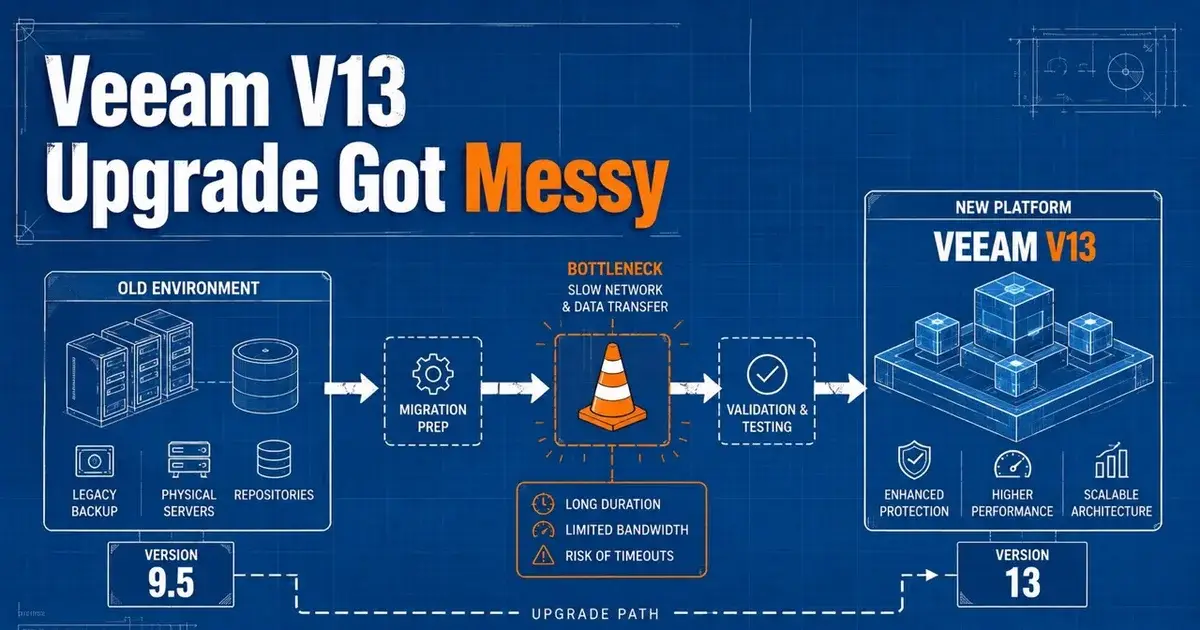
Veeam V13 Upgrade: Why Migration Gets Complicated
Veeam V13 is upgradeable for existing customers as of August 2026, but the path to that point explains why administrators found the V13 upgrade and migration confusing. The original appliance rollout arrived in stages, early deployments were net new only, Windows and migration paths followed later, and security patch packaging added another layer of version specific decisions.
A September 2025 administrator thread captured the confusion in real time. Veeam had released the V13 appliance, but users immediately asked whether it was production ready, whether Windows deployments were still coming, whether existing V12 environments could migrate, and when missing features would arrive. Later patch discussions showed a second source of friction: even after choosing to stay on a current release, administrators still had to select the correct EXE or ISO for the exact build they were running.
Why did the first V13 appliance release confuse existing customers?
The first V13 appliance release did not mean every V12 customer could immediately move an existing environment into the new appliance. In the early release discussion, Veeam representatives clarified that the appliance was supported for production use but was initially intended for net new deployments because migration was not yet available.
A new deployment can be built around the new appliance architecture from the beginning. An existing Veeam estate may include years of jobs, repositories, proxies, credentials, encryption settings, backup chains, Enterprise Manager, tape configuration, offsite copies, and operational scripts. Migration has to preserve those relationships safely.
Administrators in the thread also asked about Windows. Some liked the idea of a Linux based appliance because it could reduce Windows maintenance. Others were running Community Edition in homelabs and were unsure how the new packaging affected them. Once the release stages were explained the rollout was technically clear, but the headline "V13 appliance released" made it sound much simpler than deploying it was.
As of August 2026, that historical limitation no longer describes the current state. Veeam now documents upgrades to version 13 and maintains current V13 Windows and appliance guidance.
Why do Veeam patch packages create another migration trap?
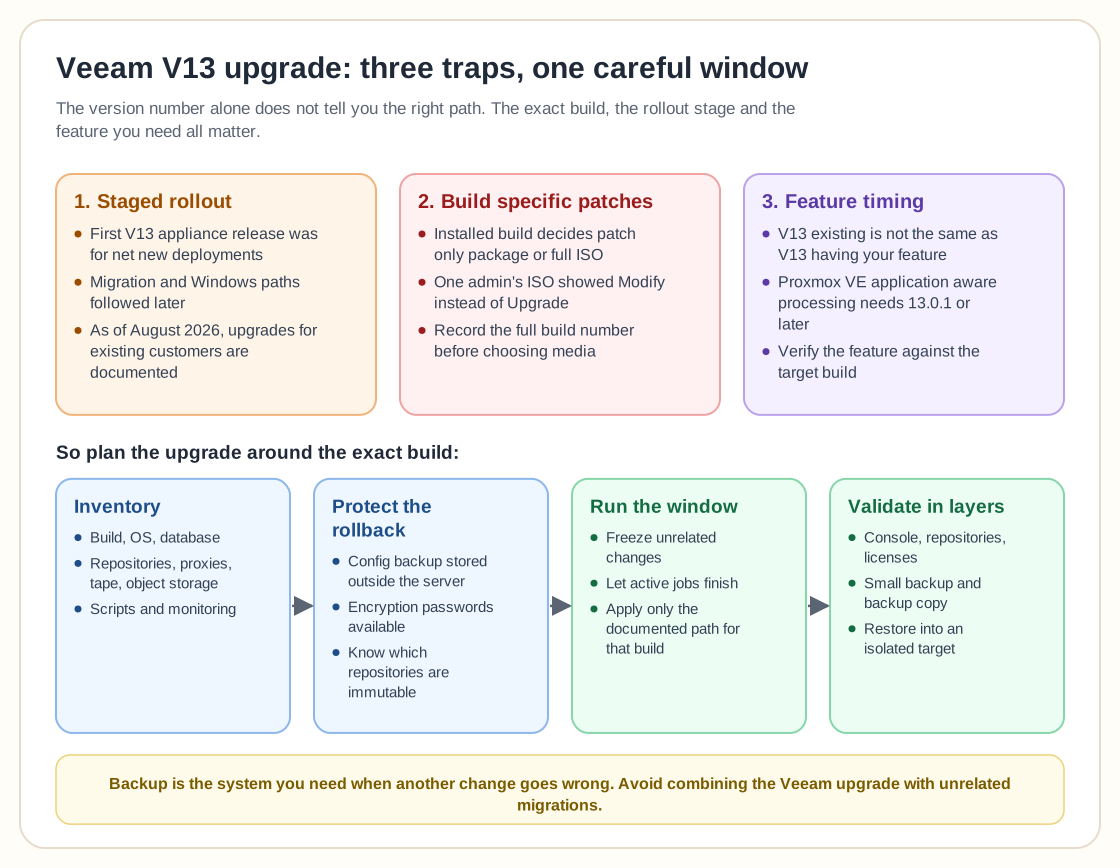
A Veeam administrator cannot safely choose an update package based only on the major version number. The installed build determines whether a patch only package is appropriate or whether the environment needs full installation media to reach the required maintenance level first.
The October 2025 critical vulnerability thread showed this problem clearly. For a current V12.3.2 deployment, Veeam described smaller patch only packages. Older V12 deployments could require the full ISO path. One participant who tried the ISO saw Modify instead of the expected Upgrade option and then received a message that another version was already installed.
Issues like this turn an urgent patch into a confusing change window, because the operator knows the target version and still has the wrong workflow for the current build.
Before any Veeam upgrade, record the full build number rather than just "V12" or "V13." Match that build to the vendor release notes and supported upgrade path. If the release provides a small security patch for your build, use the documented package rather than assuming the largest ISO is automatically the safest choice.
How can feature timing complicate a V13 decision?
A major release may be available before every workload feature reaches the state an individual environment needs. The V13 appliance discussion included excitement about Proxmox VE application aware processing, but the thread also noted that this capability required version 13.0.1 or later.
That creates a practical difference between "V13 exists" and "V13 contains the feature that justifies my migration." An administrator protecting Microsoft SQL Server, Active Directory, Exchange, Oracle, PostgreSQL, or another application cannot plan only around the product family number. The exact maintenance release can matter.
The same issue appears when organizations are changing hypervisors at the same time. Mr.PlanB's Proxmox backup comparison discusses Veeam alongside Proxmox Backup Server. If a VMware migration, Proxmox rollout, and Veeam upgrade all land in the same quarter, backup compatibility becomes a dependency of the virtualization project rather than a separate maintenance task.
For VMware estates, the VMware backup comparison provides the other side of that decision. The habit worth building is to map backup capabilities to the platform version before the hypervisor change is approved.
What should be inventoried before a Veeam V13 upgrade?
Start with the Veeam configuration and the infrastructure roles it controls. Record the backup server build, operating system, database, repositories, scale out repository extents, proxies, tape servers, object storage, WAN accelerators, Enterprise Manager dependencies, and any scripts or monitoring that call Veeam APIs or PowerShell.
Then record the recovery dependencies. Where is the configuration backup stored? Are encryption passwords available outside the Veeam server? Can the existing backup chains be imported if the server has to be rebuilt? Which repositories are immutable and therefore intentionally difficult to modify during a rollback?
The last question is easy to overlook. Immutability helps a great deal during an attack, but it changes what administrators can delete or rewrite during a failed migration. A rollback plan has to respect the repository design instead of assuming the backup team can simply purge and recreate everything.
Also identify the workloads that make the upgrade necessary. If the goal is Linux appliance management, Proxmox support, a security fix, or a specific application aware feature, verify that feature against the target build. Confirm the dependency before you migrate.
How should the actual upgrade window be run?
Freeze unrelated changes. Let active backup and replication jobs finish. Capture the Veeam configuration backup and confirm it is stored outside the system being upgraded. Record the current build and database state so the rollback point is unambiguous.
Apply only the documented path for that build. If the process upgrades remote components such as proxies or agents, let those changes complete before declaring the control plane healthy.
Then validate in layers. Open the console, check repository connectivity, inspect licenses, run a small backup, run a backup copy if that is part of the design, and perform a restore into an isolated target. For a backup platform, a successful service start proves very little.
If the environment uses object storage, tape, hardened repositories, or application aware processing, include at least one representative workflow from those categories. The more complex the Veeam estate, the less useful a single green VM backup becomes as a post upgrade test.
What would I do before moving an established Veeam estate to V13?
I would separate the project into two decisions: version readiness and architecture readiness. Version readiness means the exact target build supports the workloads and integrations the environment depends on. Architecture readiness means the new Windows or appliance design fits the organization's identity, patching, repository, network, and recovery model.
I would also avoid combining the Veeam control plane migration with an unrelated hypervisor, storage, and network migration unless the business has a strong reason to accept that much simultaneous change. Backup is the system you need when another change goes wrong.
The early V13 rollout showed that major infrastructure releases arrive in stages. It gave no evidence that Veeam migration is inherently broken. Administrators who read the stage, build, feature, and migration notes carefully have a much easier time than those who treat a major version number as one universal upgrade button.
Frequently Asked Questions
Can existing Veeam Backup & Replication customers upgrade to version 13?
Yes. As of August 2026, Veeam documents version 13 upgrades for existing Veeam Backup & Replication deployments. The confusion came from the early appliance rollout in 2025, when the first V13 appliance release focused on new deployments and migration arrived later.
Why can a Veeam patch show Modify instead of Upgrade?
The correct installation package depends on the installed build. In one 2025 security patch case, a user selected media that showed Modify instead of Upgrade, while Veeam guidance distinguished patch only packages from full installation media for older builds.
Should Veeam upgrades be treated like normal application updates?
Treat them as changes to recovery infrastructure. Record the current build, configuration backup, repository state, proxy roles, feature dependencies, and a tested rollback or recovery path before changing the backup control plane.