

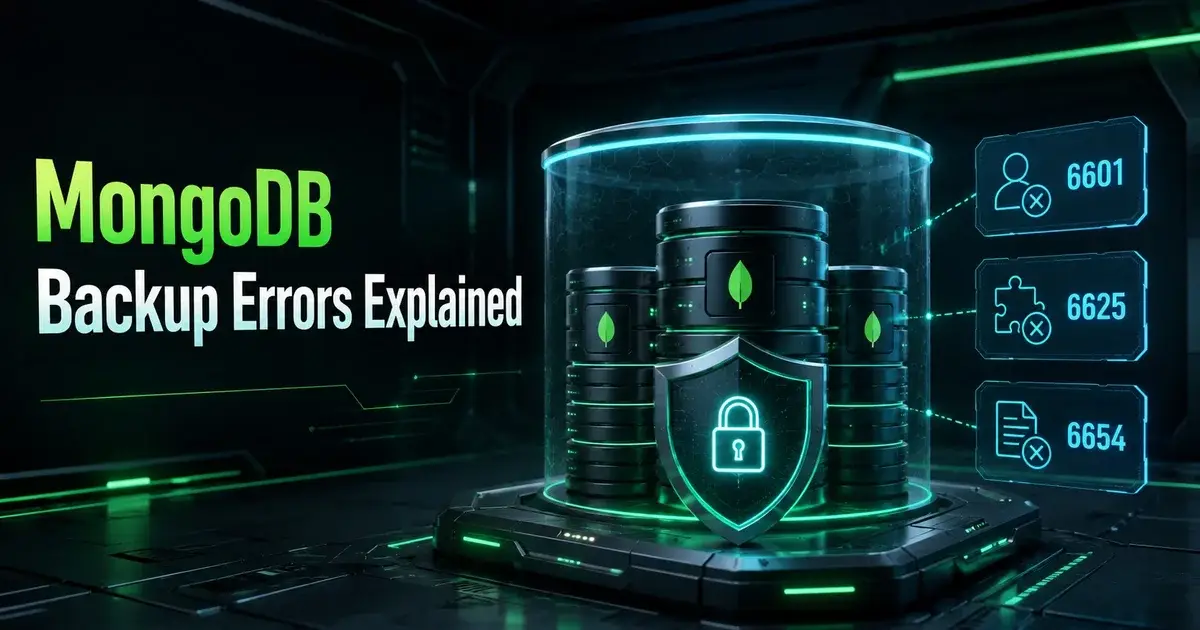
NetBackup MongoDB Errors 6601, 6625 and 6654: What to Check First
NetBackup MongoDB errors 6601, 6625, and 6654 should not be treated as one generic database failure. Recent administrator cases show failures moving as credentials and host configuration change, and Veritas documentation treats MongoDB authentication, host authentication, naming, RSA keys, backup hosts, and policy configuration as separate layers.
The practical rule is to identify which layer failed before changing another one. One administrator saw status 6625 disappear after changing the host credentials used with tpconfig, only to stay blocked by status 6601. Another saw status 6654, "Unable to retrieve credentials," even after disabling MongoDB security and choosing No Authentication. Those details are clues, though they do not prove a single shared root cause.
Why can status 6654 happen even with MongoDB No Authentication?
Status 6654 can still be a credential problem because NetBackup's No Authentication mode still involves credentials. Veritas documents a credential file for the NOAUTH case that contains HostUser, HostPassword, and HostRsaKey for the MongoDB node.
That explains why turning off MongoDB authentication may leave the error unchanged. Database authentication and host access are different things. NetBackup still needs a trusted way to reach and operate on the MongoDB host, and if that host identity is missing, mismatched, or stored under a different hostname than the policy expects, the database can be wide open and the backup can still fail.
Veritas also documents a specific status 6654 case caused by inconsistent host naming. Credentials were stored using one form of the hostname while the policy or configuration used another, and a short hostname in one place with an FQDN in another was enough to break credential retrieval.
So the first 6654 check is boring but worth it: write down the exact host strings used in tpconfig, the backup policy, the client's NetBackup identity, and mongodb.conf. They should describe the same node consistently.
What should be checked in tpconfig first?
Check the tpconfig entry for the correct application server, authentication type, host user, RSA key, and exact hostname format. Veritas says the MongoDB node credentials are added for the application server specified in the Clients tab of the backup policy.
For a replica set or standalone deployment, the credential configuration identifies the mongod hostname and port. A sharded cluster may include multiple mongod and mongos endpoints. If the policy uses one name while credentials are associated with another, NetBackup can look in the wrong place even though both names resolve in DNS.
The host user matters too. Current Veritas guidance for clusters running under a mongod service account says not to use the mongod service account itself as the host user in tpconfig. It recommends a sudo-capable non-root host account with a home directory and ownership of the directories referenced in mongodb.conf.
That makes the "root fixed one error" observation from the administrator case understandable, though it is no reason to recommend root. Root may have removed a permissions obstacle, which made status 6625 disappear. The safer long-term task is to find which permission the intended host account lacks and configure the supported non-root model correctly.
What do status 6601 and 6625 tell you in the reported case?
In the reported case, status 6625 disappearing after a credential change tells you the configuration change affected the failure path. It does not establish that every status 6625 event has the same permission problem behind it, and the discussion did not give enough evidence to define the root cause of status 6601.
That is why you should keep each test result. Record the initial error, change one variable, rerun the same backup, and note whether the status changes. If 6625 becomes 6601, the system got far enough to hit a different condition. Rolling several configuration changes together destroys that evidence.
Useful checks include the exact NetBackup and MongoDB versions, MongoDB topology, the selected policy type, backup host, plug-in deployment state, mongodb.conf, the credential entry, the host RSA key, hostname consistency, and permissions on every directory NetBackup needs to use.
If MongoDB runs inside a virtual machine, keep the application problem separate from machine protection. The Proxmox backup comparison shows the broader difference between protecting a VM as an object and protecting the application state inside it, and a VM recovery point does not answer every database recovery question.
Does the NetBackup client need to be on the MongoDB server?
A failing backup does not by itself mean every MongoDB node needs a NetBackup client. The correct architecture depends on the MongoDB plug-in workflow and NetBackup version, including which system acts as a backup host.
Veritas documentation explicitly describes a NetBackup client as a possible backup host. When a client is used in that role, it must be included in the primary server's allowed list with the APP_PROXY_SERVER configuration, which is a long way from "install the client everywhere."
This matters because adding software to the database server can look like progress while the real configuration error stays untouched. Before installing another client, map the supported flow: primary server, backup host, MongoDB node, plug-in, credentials, policy, and data path. Then verify which component belongs on which machine for your exact NetBackup release.
The Proxmox Backup Server guide applies the same recovery-layer thinking. Host protection and application-aware recovery solve related problems, but one cannot stand in for the other.
How should hostname mismatches be tested?
Test hostname mismatches by comparing literal strings, because DNS resolution only proves that a name points somewhere. NetBackup credential lookup may still depend on the identity string used when the credentials were stored.
Start with the application server value in the policy and compare it with the hostname used in tpconfig. Compare both with the client name and every hostname in mongodb.conf. If the environment standard is FQDN, use the FQDN consistently. If a documented workflow expects a short name, use that consistently instead.
Then verify forward and reverse resolution from the systems taking part in the backup, and check that no duplicate aliases point to different interfaces or stale records. If the node was renamed, confirm the NetBackup configuration was updated instead of relying on DNS aliases to hide the difference. This is one of those failures where "networking works" can be true and the backup can still be wrong.
What is the safest troubleshooting order?
Go identity first, then plug-in placement, then policy and application configuration, then data movement. Confirm supported versions and topology, the exact MongoDB nodes, and the hostnames. Confirm tpconfig credentials and RSA keys, and that the host user meets the documented requirements. Confirm mongodb.conf paths and ownership, and that the chosen backup host is allowed by the primary server. Only then widen the search into network, storage, and application behavior.
Do not disable MongoDB security as the first troubleshooting step. The status 6654 case shows how that wastes time: NOAUTH still leaves NetBackup host credentials in the path, and removing database authentication creates a new security state without proving anything about the host identity NetBackup is trying to retrieve.
I would also avoid keeping root as a permanent workaround just because one error code disappears. Take it as evidence that permissions matter, then move toward the least privileged host account the NetBackup MongoDB guide supports.
What you want is to understand which identity, host, and configuration NetBackup is using, so the fix stays predictable when the next node, replica set, or restore operation is added. A job that turned green by any means available does not tell you that.
Frequently Asked Questions
Why can NetBackup MongoDB status 6654 appear with MongoDB authentication disabled?
NetBackup still uses host credentials when MongoDB runs with NOAUTH. The credential configuration can still require HostUser, HostPassword, and HostRsaKey, so disabling database authentication leaves the host authentication layer in place.
What is a known cause of NetBackup MongoDB status 6654?
Veritas documents inconsistent host naming as one cause. Using a short name in tpconfig and an FQDN in the policy or mongodb.conf can stop NetBackup from retrieving the expected credentials.
Does a NetBackup client have to be installed on every MongoDB node?
It depends on the backup-host and plug-in design for the NetBackup version in use. Veritas documents NetBackup clients as possible backup hosts and requires any such client to be added to the primary server allowed list.