

YAML Formatter and Beautifier
Paste your YAML to format, beautify and validate it. Everything runs in your browser.
Input YAML
Paste your YAML content here
Formatted Output
Beautified and validated YAML
About YAML Formatter
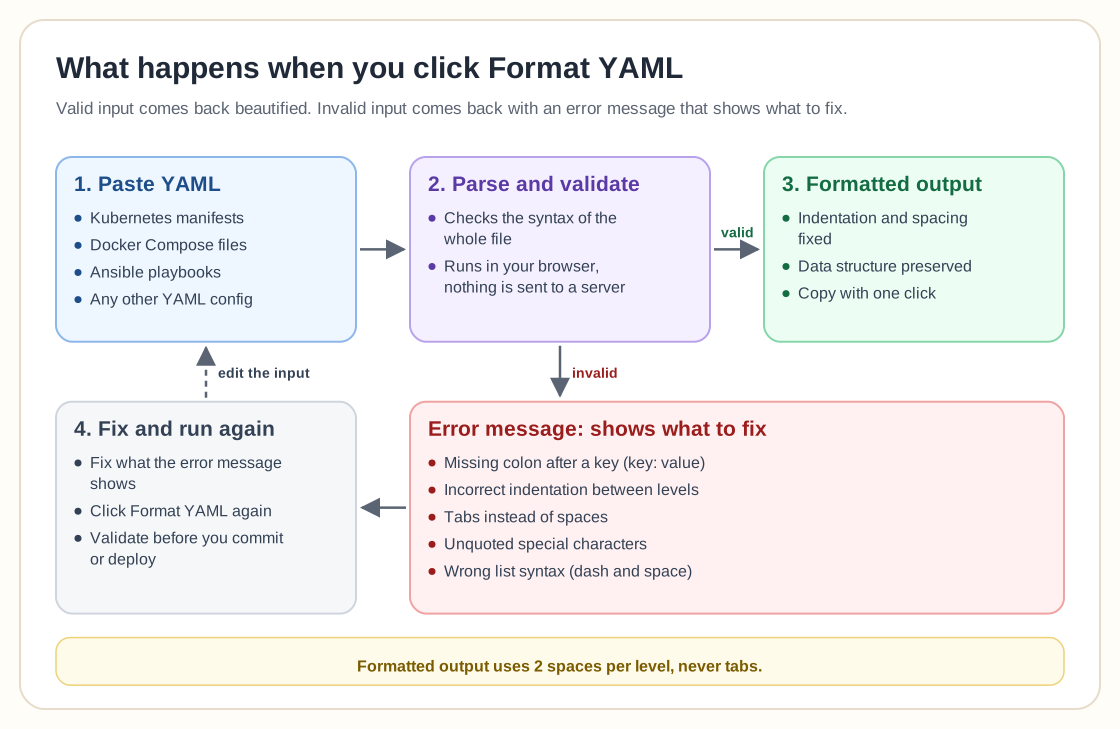
This free online YAML formatter and validator cleans up messy configuration files. Use it on Kubernetes manifests, Docker Compose files, Ansible playbooks or any other YAML-based configuration: it fixes indentation, validates syntax, and catches common errors before they cause production issues.
Features
- Instant Validation: Catches syntax errors like missing colons, incorrect indentation, and invalid characters
- Smart Formatting: Automatically fixes indentation and spacing issues while preserving your data structure
- Privacy Focused: All processing happens in your browser, so your configuration files never touch our servers
- Copy-Paste Ready: Copy the result to your clipboard with one click
- Error Messages: Clear error messages that show what to fix
Common YAML use cases
YAML is the most common configuration language in modern infrastructure. You will see it most often in these places:
- Kubernetes: Deployments, Services, ConfigMaps, Secrets, and custom resource definitions
- Docker Compose: Multi-container application definitions with networks, volumes, and dependencies
- Ansible: Playbooks for configuration management and automation workflows
- CI/CD Pipelines: GitHub Actions, GitLab CI, CircleCI, and Jenkins pipeline definitions
- Infrastructure as Code: Configuration files for Terraform, AWS CloudFormation, and Azure Resource Manager
- Proxmox: Cloud-init templates and automation scripts
YAML best practices
Follow these guidelines to write maintainable YAML configurations:
- Consistent Indentation: Always use 2 spaces (not tabs) for indentation throughout your files
- Quote Strings: Use quotes around strings that contain special characters or start with numbers
- Anchors and Aliases: Use YAML anchors (&) and aliases (*) to avoid repetition in large files
- Comments: Document complex configurations with # comments for future maintainers
- Validation Before Deployment: Always validate YAML files before applying them to production systems
- Multi-line Strings: Use | for literal blocks and > for folded blocks when working with long text
Common YAML errors and fixes
These are the most frequent YAML syntax errors and their fixes:
Why YAML over JSON or XML?
YAML is the standard for infrastructure configuration because it's human-readable, supports comments, allows multi-line strings without escape characters, and has a cleaner syntax than JSON or XML. JSON works well for APIs and data interchange, but YAML is easier to read, which suits configuration files that people write and maintain regularly.
Using it in your workflow
Run the formatter before committing configuration changes to version control, when validating configurations pulled from team members, when cleaning up auto-generated manifests from Helm or Kustomize, or when preparing configuration files for production deployment. Instant validation saves time by catching errors before they reach your CI/CD pipeline or production environment.